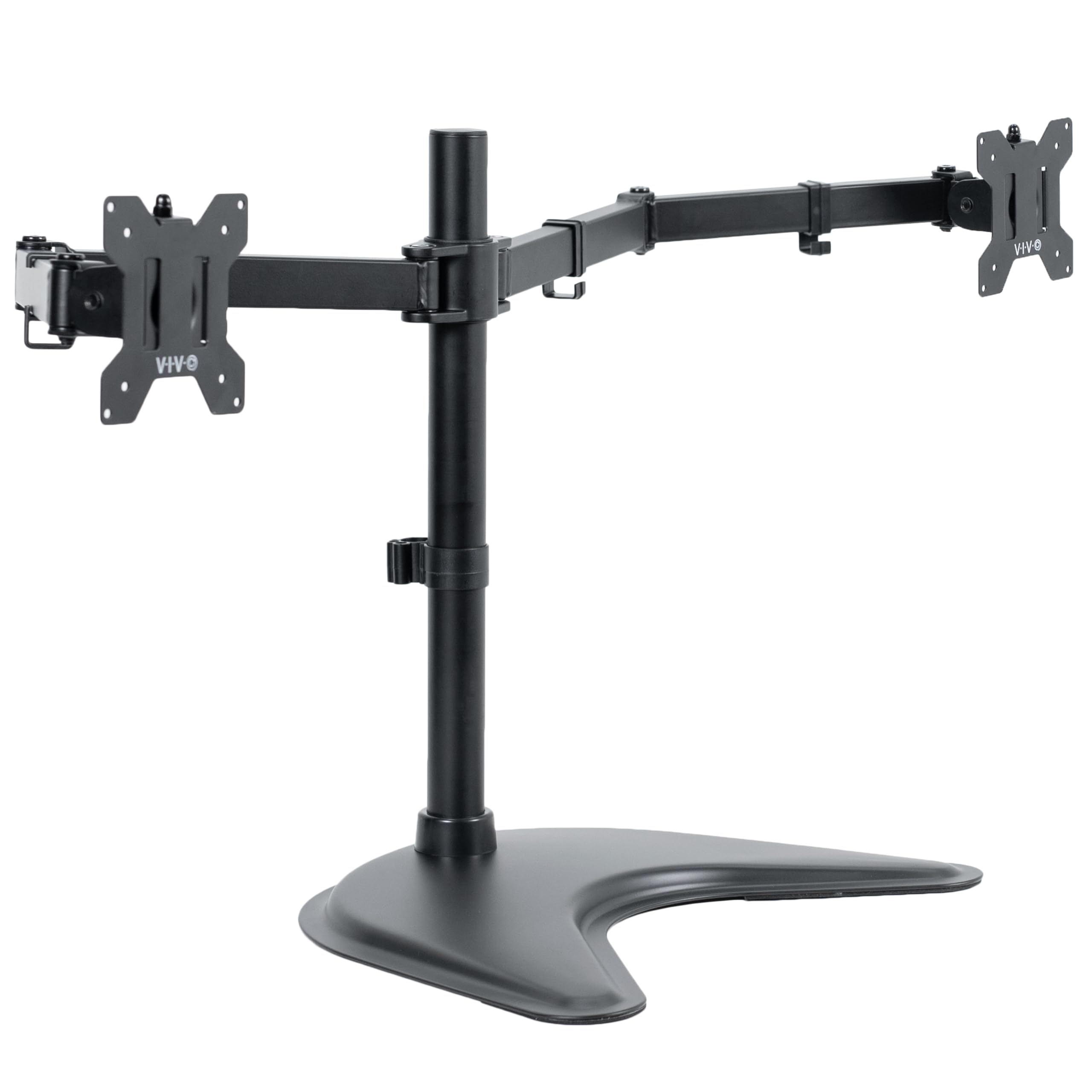
The VIVO STAND-V038F is a freestanding dual monitor mount built for two screens up to 38 inches, with adjustable arms and cable clips.
This VIVO Dual LED LCD Monitor Mount review looks at its wide screen support, desk footprint, and practical limits for positioning heavier displays.
VIVO Dual Mount Review Summary
The quick verdict
16,000+ ratings
Read Amazon ReviewsVIVO STAND-V038F Dual Monitor Mount
A freestanding dual-screen mount for desk setups with two compatible monitors, including ultrawides, and room for a broad weighted base.
- Designed to hold two monitors from 13 to 38 inches, weighing up to 22 pounds each.
- Fits monitors with 75×75 mm or 100×100 mm VESA mounting holes.
- Arms offer tilt from +90° to −90°, 180° swivel, 360° rotation, and height adjustment along the center pole.
- Freestanding base measures 16.3 by 12.8 inches and has padding underneath to help protect the desk surface.

Pros
- Accommodates two large monitors up to 38 inches, with a per-screen weight limit of 22 pounds.
- Multiple adjustment directions make it easier to tailor screen angles and orientation.
Consider before buying
- The 16.3-by-12.8-inch base needs a substantial, unobstructed area on the desk.
- The guidance cautions against pulling the monitors too far forward or backward unless the stand is bolted down, which limits how far the screens should be extended.
Read the full review summary
This mount suits buyers who want to position two monitors without attaching a clamp to the desk.
Each arm supports a screen from 13 to 38 inches and up to 22 pounds, provided it has a 75×75 mm or 100×100 mm VESA pattern.
Tilt, swivel, rotation, and height adjustment along the center pole give the setup room to adapt to different viewing preferences.
Its freestanding base measures 16.3 by 12.8 inches, so it needs a clear patch of desk and a layout that keeps the screens within the base’s center of gravity.
Detachable VESA plates and included assembly hardware simplify the mounting process, while padded contact points and cable clips attend to desk protection and cord routing. Buyers should check monitor weight, VESA fit, and available space before choosing it.
The buying factors
VIVO Dual Mount Scorecard
Editorial scores reflect listed features and buyer fit; they are not laboratory measurements or customer ratings.
Screen size and weight range
Supports two screens from 13 to 38 inches, each weighing up to 22 pounds, with compatible VESA holes.
Positioning flexibility
Tilt, 180-degree swivel, 360-degree rotation, and pole height adjustment offer several ways to set the viewing angle.
Freestanding convenience
A base-mounted design avoids desk-edge clamping, though the base needs a sizable clear area.
Desk space demands
The 16.3-by-12.8-inch base occupies a meaningful portion of the desktop.
Cable organization
Detachable clips on the arms and center pole provide a route for power and AV cables.
Installation preparation
Detachable VESA plates, instructions, and assembly hardware are included; compatibility checks remain essential.
Key Features and Specifications of VIVO Dual Mount
- Designed to hold two monitors from 13 to 38 inches, weighing up to 22 pounds each.
- Fits monitors with 75×75 mm or 100×100 mm VESA mounting holes.
- Arms offer tilt from +90° to −90°, 180° swivel, 360° rotation, and height adjustment along the center pole.
- Freestanding base measures 16.3 by 12.8 inches and has padding underneath to help protect the desk surface.
- Detachable cable clips attach to the arms and center pole for organizing power and AV cables.
- Detachable VESA plates, assembly instructions, and hardware are included.
- The mount has a three-year warranty.
Pros and Cons of VIVO Dual Mount
Pros
- Accommodates two large monitors up to 38 inches, with a per-screen weight limit of 22 pounds.
- Multiple adjustment directions make it easier to tailor screen angles and orientation.
- Freestanding installation does not require attaching a clamp to the desk edge.
- Padded base and detachable cable clips help address desk contact and cable routing.
Consider before buying
- The 16.3-by-12.8-inch base needs a substantial, unobstructed area on the desk.
- The guidance cautions against pulling the monitors too far forward or backward unless the stand is bolted down, which limits how far the screens should be extended.
- Buyers need to verify each monitor’s weight and VESA pattern before ordering; screen size alone does not confirm fit.
Who Should Buy VIVO Dual Mount?
Good fit
Choose the VIVO STAND-V038F if you want a two-screen setup, prefer a freestanding base, and have a desk with enough room for its footprint.
Its support for screens up to 38 inches and 22 pounds each gives it a useful range for compatible standard and ultrawide displays.
The adjustment options are appealing if you expect to fine-tune tilt, swivel, rotation, or height after assembly. Before buying, measure the intended base area and confirm that both monitors meet the weight and VESA requirements.
Who should skip it
Look elsewhere if your desktop cannot spare a clear 16.3-by-12.8-inch area, or if your preferred monitor placement requires pulling the screens far forward or backward without bolting the stand down.
This mount is also a poor fit if either screen exceeds 22 pounds or lacks the supported VESA pattern. Confirm both monitors’ mounting details before choosing a stand.
VIVO Dual Mount: Fit, Setup, and Positioning
Check fit beyond the diagonal measurement
The 13-to-38-inch range is only one part of compatibility. Each screen must also weigh no more than 22 pounds and have 75×75 mm or 100×100 mm VESA holes, so check those details for both monitors.
This matters especially when pairing displays of different sizes: each arm has the same stated weight ceiling.
Plan the base before arranging the screens
A freestanding base makes the desk edge and clamp clearance less central to installation, but it shifts the space requirement onto the desktop itself.
Measure a 16.3-by-12.8-inch area, then consider where the center pole and monitors will sit relative to other desk items.
The stability guidance also favors keeping the screens within the base’s center of gravity and avoiding excessive forward or backward extension unless the stand is bolted down.
Use the adjustment range to shape the layout
Tilt, swivel, and rotation allow each display to be angled and oriented after mounting, while height adjustment along the pole changes their vertical placement.
These controls support customization, but the description does not specify separate height travel for each arm. If exact screen alignment is essential, consider how the pole and arm arrangement will suit the monitors before committing.
Treat setup as a two-screen compatibility check
Detachable VESA plates let the monitor brackets be handled separately from the arms, and the package includes instructions and assembly hardware.
Check the VESA pattern and weight of each screen first, and make room to place the base during assembly.
Once installed, the clips on the arms and center pole can help keep power and AV cables routed along the mount.
Alternatives to VIVO Dual Mount
Computer Monitor Arms alternative
2,000+ ratings
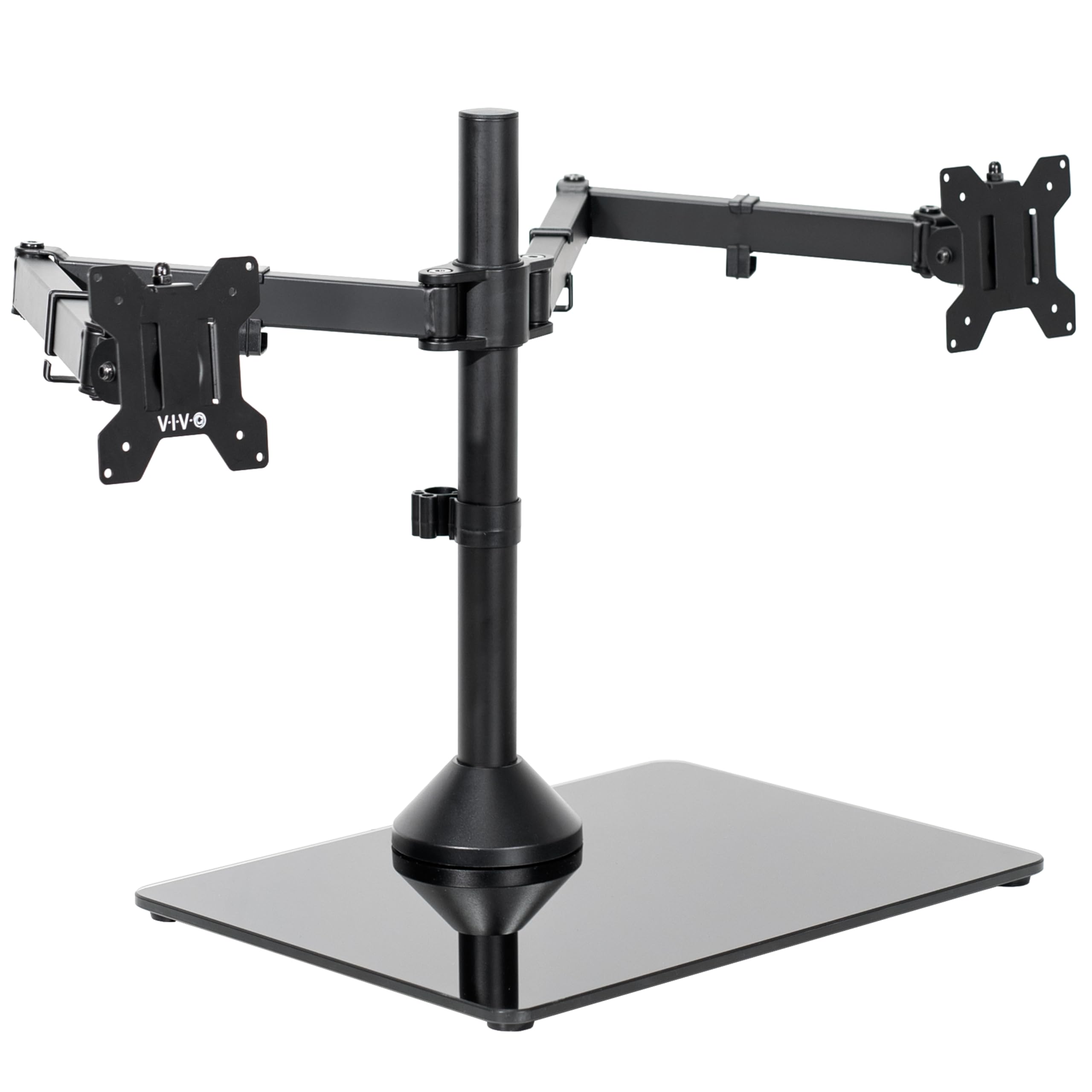
Read Amazon ReviewsVIVO Dual Ultrawide Monitor Desk Mount STAND-V038FG
Consider the STAND-V038FG if you prefer its tempered-glass base; choose the STAND-V038F if its described base dimensions and padded underside better suit your desk.
Both share the same stated screen size and weight limits, so base preference and available space are the useful differences here.
- The STAND-V038FG also supports two screens up to 38 inches and 22 pounds each, but uses a tempered-glass base measuring 17 by 12.8 inches.
- The STAND-V038F supports two screens up to 38 inches and 22 pounds each on a 16.3-by-12.8-inch freestanding base.
Computer Monitor Arms alternative
60,000+ ratings
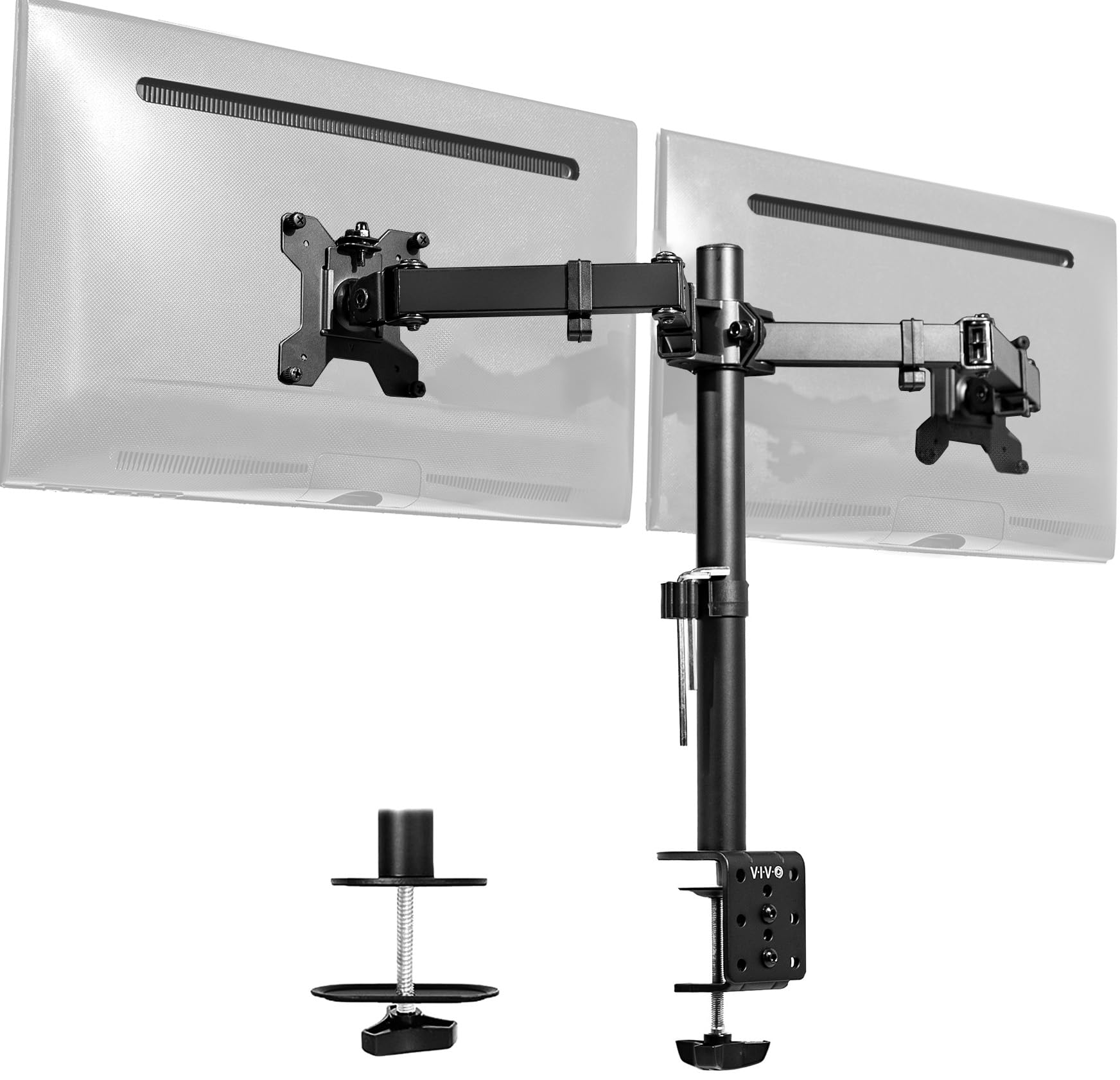
Read Amazon ReviewsVIVO Dual Monitor Desk Mount STAND-V002
Choose the STAND-V002 if you want a desk-mounted clamp or grommet installation and your screens are no larger than 30 inches.
The STAND-V038F is the better match for compatible displays above that size or for buyers who want a freestanding base.
- The STAND-V002 supports two screens from 13 to 30 inches and up to 22 pounds each, with a C-clamp or optional grommet mount for desks up to 3.25 inches thick.
- The STAND-V038F is freestanding and supports monitors up to 38 inches on a broad base.
Is VIVO Dual Mount Worth It?
The VIVO STAND-V038F is worth considering for a two-monitor workstation that needs support for displays up to 38 inches and favors a freestanding setup.
Its broad adjustment range, detachable VESA plates, and cable clips make it a practical option when both monitors meet the weight and mounting requirements.
Buy it if your desk can spare the base footprint and your preferred screen positions stay within the stand’s stability guidance. Measure the space and verify both monitors’ weight and VESA pattern before deciding.
Your review at a glance
16,000+ ratings
Read Amazon ReviewsVIVO STAND-V038F Dual Monitor Mount
A freestanding dual-screen mount for desk setups with two compatible monitors, including ultrawides, and room for a broad weighted base.
- Designed to hold two monitors from 13 to 38 inches, weighing up to 22 pounds each.
- Fits monitors with 75×75 mm or 100×100 mm VESA mounting holes.
- Arms offer tilt from +90° to −90°, 180° swivel, 360° rotation, and height adjustment along the center pole.
- Freestanding base measures 16.3 by 12.8 inches and has padding underneath to help protect the desk surface.