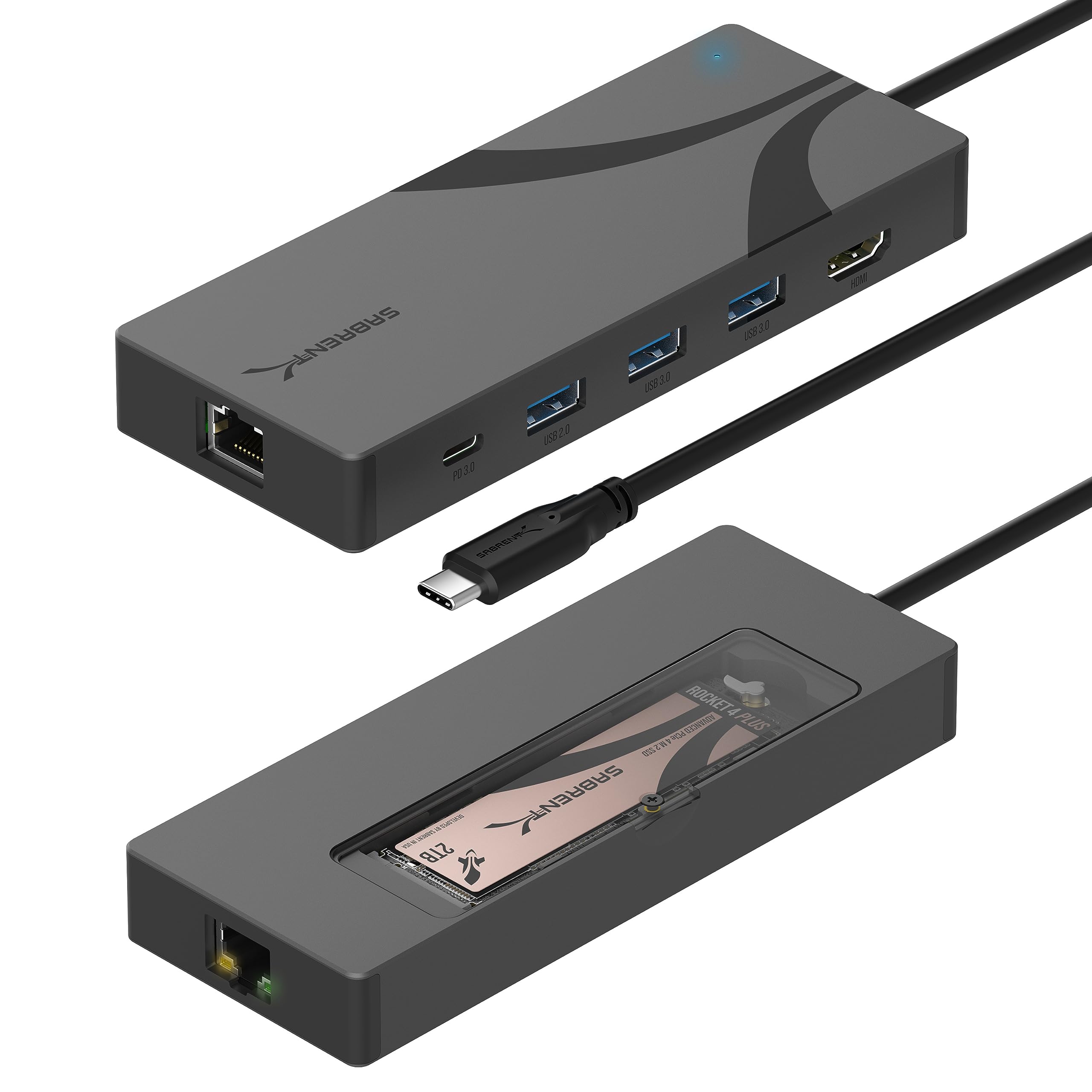
The SABRENT HB-6PNV combines a six-port USB-C hub with an internal M.2 SSD enclosure, making it a practical option for laptop users who want storage and desk connections in one compact unit.
This sabrent usb hub review looks at its useful mix of ports, the limits of its drive connection, and the host requirements to check before buying.
SABRENT HB-6PNV Review Summary
The quick verdict
188,000+ ratings
Read Amazon ReviewsSABRENT HB-6PNV USB-C Hub
A versatile desk hub for USB-C device owners who want an M.2 drive slot, one 4K display connection, wired Ethernet, and host charging.
- Six-port USB-C hub with a built-in M.2 SSD enclosure; the SSD is sold separately.
- M.2 slot supports NVMe or SATA drives in 2242, 2260, or 2280 form factors, with transfer speeds up to 5Gbps.
- Integrated USB-C cable connects to the host at 10Gbps using USB 3.2 Gen 2x1.
- Two USB-A ports support up to 5Gbps, while a third supports USB 2.0 speeds up to 480Mbps.

Pros
- Combines an M.2 enclosure with a versatile set of hub connections.
- Supports both NVMe and SATA M.2 drives in three common lengths.
Consider before buying
- The M.2 slot is limited to up to 5Gbps, so a faster NVMe drive will not reach its full rated speed through the hub.
- The SSD and USB-C charger are not included.
Read the full review summary
This hub brings several common desk connections together: three USB-A ports, one HDMI output, Gigabit Ethernet, and an M.2 slot for a separately purchased SSD.
Its integrated cable connects to the host at 10Gbps, while the M.2 slot supports up to 5Gbps, so the appeal is convenient combined connectivity rather than unlocking a modern NVMe drive’s full rated speed.
It suits someone who regularly moves project files or backups, uses wired networking or an external display, and prefers a single connection to a compatible computer.
The design also supports up to 90W USB Power Delivery pass-through when you connect your own USB-C charger.
Buyers should confirm their host supports DisplayPort Alternate Mode for video and check that their SSD uses one of the supported lengths.
The buying factors
SABRENT HB-6PNV Scorecard
Editorial scores reflect listed features and buyer fit; they are not laboratory measurements or customer ratings.
Everyday connectivity
Six ports cover display, wired networking, storage, and USB-A peripherals in a single hub.
Built-in storage flexibility
The internal slot accepts M.2 NVMe or SATA drives in three common lengths, though the drive is sold separately.
Drive transfer ceiling
The M.2 slot supports up to 5Gbps, which is useful for file handling but below the rated speed of many NVMe drives.
Display usefulness
One HDMI 2.0 output supports up to 4K at 60Hz, subject to host support for DisplayPort Alternate Mode.
Charging convenience
Up to 90W PD pass-through can charge the host, but the buyer supplies the charger.
Setup flexibility
Windows, macOS, and Linux compatibility is broad, though the integrated cable and specific host requirements should fit the intended setup.
Key Features and Specifications of SABRENT HB-6PNV
- Six-port USB-C hub with a built-in M.2 SSD enclosure; the SSD is sold separately.
- M.2 slot supports NVMe or SATA drives in 2242, 2260, or 2280 form factors, with transfer speeds up to 5Gbps.
- Integrated USB-C cable connects to the host at 10Gbps using USB 3.2 Gen 2x1.
- Two USB-A ports support up to 5Gbps, while a third supports USB 2.0 speeds up to 480Mbps.
- HDMI 2.0 output supports one external display at up to 4K and 60Hz, provided the host supports DisplayPort Alternate Mode.
- RJ45 jack provides wired Gigabit Ethernet; USB-C PD 3.0 pass-through supports up to 90W to the host when a suitable charger is connected.
- Aluminum enclosure with an integrated thermal pad; the package includes the hub, M.2 rubber fastener, heatsink screw, screwdriver, and manual.
Pros and Cons of SABRENT HB-6PNV
Pros
- Combines an M.2 enclosure with a versatile set of hub connections.
- Supports both NVMe and SATA M.2 drives in three common lengths.
- Offers a 4K 60Hz HDMI output and wired Gigabit Ethernet in the same unit.
- Up to 90W PD pass-through can reduce cable clutter while charging the host.
Consider before buying
- The M.2 slot is limited to up to 5Gbps, so a faster NVMe drive will not reach its full rated speed through the hub.
- The SSD and USB-C charger are not included.
- Video output depends on DisplayPort Alternate Mode support on the connected host.
- The hub has one HDMI output and no SD or microSD card reader.
Who Should Buy SABRENT HB-6PNV?
Good fit
Consider the HB-6PNV if you want to add an M.2 drive to a laptop setup while also connecting a display, Ethernet, and USB-A accessories.
The built-in enclosure can simplify a desk arrangement by bringing storage and several everyday connections onto one host cable.
It is especially relevant if you already have a compatible 2242, 2260, or 2280 M.2 drive, or plan to choose one for file transfers, project work, and backups.
Before buying, confirm your host has USB-C connectivity suitable for the hub and supports DisplayPort Alternate Mode if you intend to use HDMI.
The 90W pass-through adds charging convenience when paired with your own compatible USB-C PD charger.
Check the charger and laptop requirements for your setup, and remember that the hub’s USB-A ports are specified for peripheral connections rather than high-power charging.
Who should skip it
Look elsewhere if your main goal is to run an M.2 drive at its full modern NVMe interface speed; this hub’s drive slot supports up to 5Gbps.
This layout may not suit you if you need multiple external displays, SD or microSD card access, or an M.2 drive in a 2230 or 22110 length. Check your port and storage requirements before choosing a hub.
How the SABRENT HB-6PNV Fits a Laptop Setup
One hub, with storage built in
The integrated M.2 enclosure is the defining feature here. Rather than pairing a conventional hub with a separate drive enclosure, you can install one supported M.2 NVMe or SATA drive in the hub itself.
That can make a tidy setup for a laptop user who wants working files or backups close at hand, although the drive must be purchased separately.
Understand the two speed ceilings
The host connection is rated at 10Gbps, while the internal M.2 slot runs at up to 5Gbps.
Those figures describe different parts of the connection: the drive slot is the limiting factor for storage transfers, so buyers should choose this model for the combined convenience of hub and storage rather than expecting a fast NVMe drive to operate at its full potential.
Display and wired network needs
HDMI 2.0 gives the hub one external display connection with support up to 4K at 60Hz.
The host must support DisplayPort Alternate Mode over USB-C to send video, so verify that capability for your specific computer or tablet if an external monitor is central to your setup.
Gigabit Ethernet gives you a wired network option alongside the display connection.
Power and peripheral planning
A connected USB-C charger can pass up to 90W through the hub to the host, which may let one cable handle both connectivity and charging.
The charger is not included, and the three USB-A ports have different data rates: two support up to 5Gbps and one supports up to 480Mbps.
Assign faster storage or data accessories to the two higher-speed ports, and use the USB 2.0 port for lower-bandwidth devices such as a keyboard or mouse.
Alternatives to SABRENT HB-6PNV
USB Hubs alternative
500+ ratings
Read Amazon ReviewsSABRENT HB-U3CR USB-C Hub
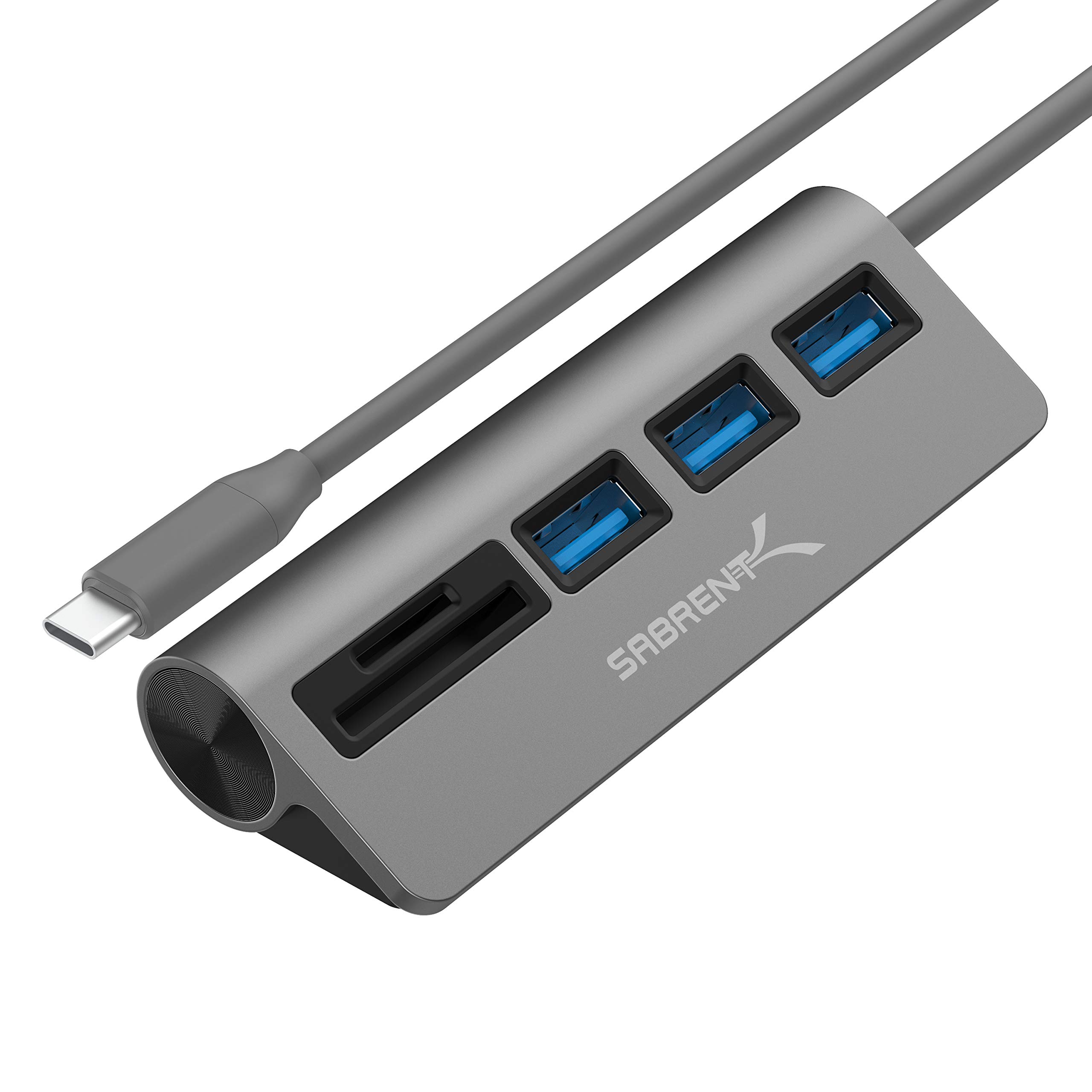
Choose the HB-6PNV if M.2 storage, HDMI, wired Ethernet, and host charging are priorities. The HB-U3CR is a more fitting option when card access is central and a simpler three-port USB-A hub meets your needs.
- The HB-U3CR pairs three USB 3.0 Type-A ports with an SD and microSD card reader, with data transfers up to 5Gbps.
- The HB-6PNV combines an internal M.2 drive slot, HDMI output, Gigabit Ethernet, and USB-A ports, with up to 90W host charging pass-through.
USB Hubs alternative
6,000+ ratings
Read Amazon ReviewsSABRENT HB-B7C3 10-Port USB Hub
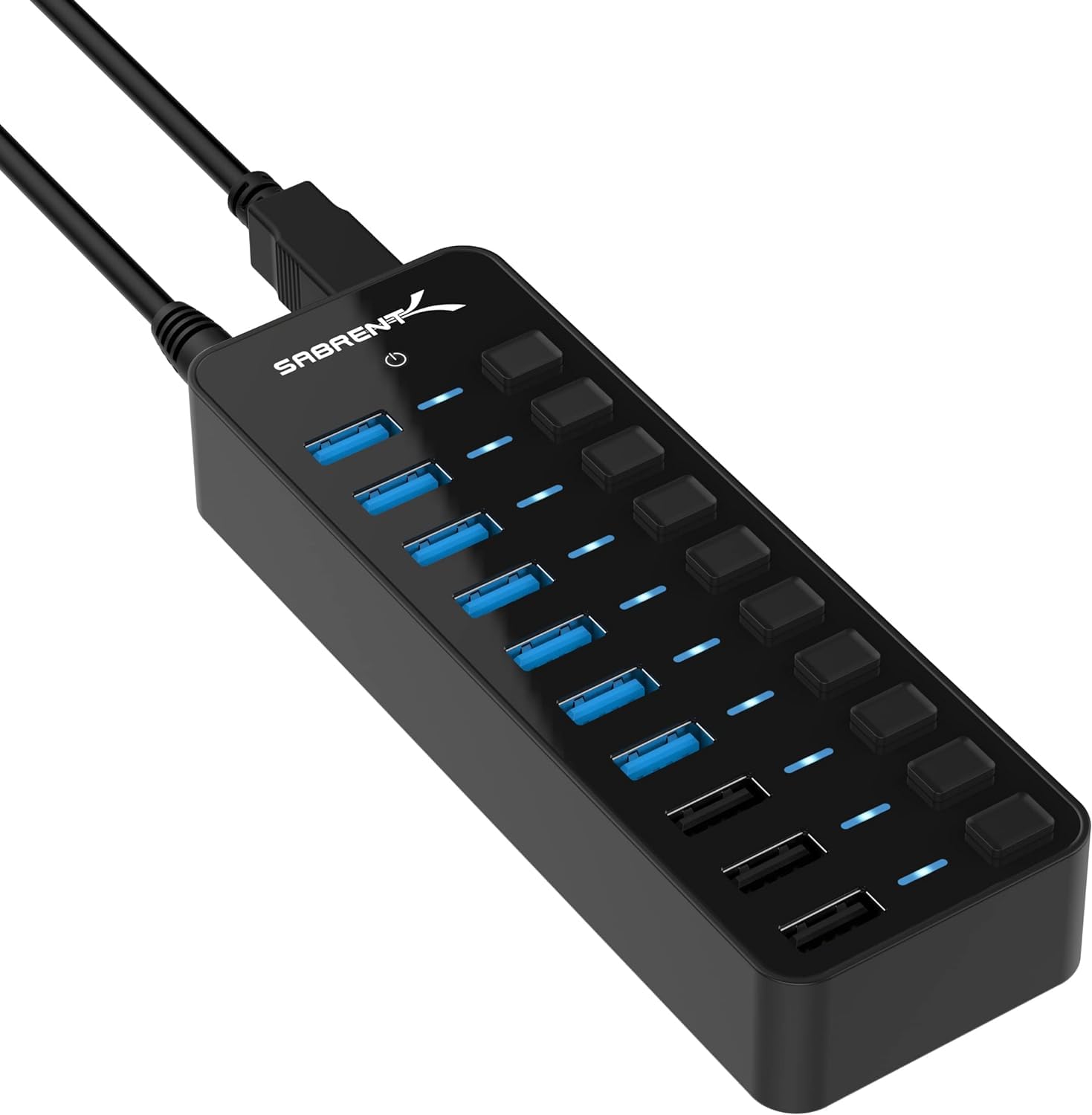
Pick the HB-6PNV for integrated M.2 storage and laptop connections such as HDMI and Ethernet. The HB-B7C3 better fits a desk that needs more USB device connections, port-level switches, and dedicated charging ports.
- The HB-B7C3 supports up to seven USB 3.0 devices, includes three dedicated smart-charging ports, and comes with a 60W power adapter.
- Individual switches and LEDs control and indicate port status.
- The HB-6PNV is a compact combination hub and M.2 enclosure, with one HDMI output and Gigabit Ethernet.
Is SABRENT HB-6PNV Worth It?
The SABRENT HB-6PNV is worth considering if you want one USB-C hub to combine an M.2 drive enclosure, a 4K 60Hz display connection, Gigabit Ethernet, USB-A ports, and host charging pass-through.
Its mix is well suited to a compact laptop desk where those connections serve a clear purpose.
Buy with its limits in mind: the drive slot tops out at 5Gbps, the M.2 SSD and charger are separate purchases, and video requires DisplayPort Alternate Mode on the host.
If those conditions fit your setup, the HB-6PNV offers a useful blend of storage and everyday connectivity.
Your review at a glance
188,000+ ratings
Read Amazon ReviewsSABRENT HB-6PNV USB-C Hub
A versatile desk hub for USB-C device owners who want an M.2 drive slot, one 4K display connection, wired Ethernet, and host charging.
- Six-port USB-C hub with a built-in M.2 SSD enclosure; the SSD is sold separately.
- M.2 slot supports NVMe or SATA drives in 2242, 2260, or 2280 form factors, with transfer speeds up to 5Gbps.
- Integrated USB-C cable connects to the host at 10Gbps using USB 3.2 Gen 2x1.
- Two USB-A ports support up to 5Gbps, while a third supports USB 2.0 speeds up to 480Mbps.