The SABRENT USB 3.0 Universal Docking Station review is for laptop and tablet users who want to connect displays and desk peripherals through a single dock.
Its mix of HDMI and DVI, gigabit Ethernet, audio jacks, and four USB data ports makes it a feature-rich choice, with an important operating-system compatibility consideration for some Mac users.
SABRENT DS-RICA Dock Review Summary
The quick verdict
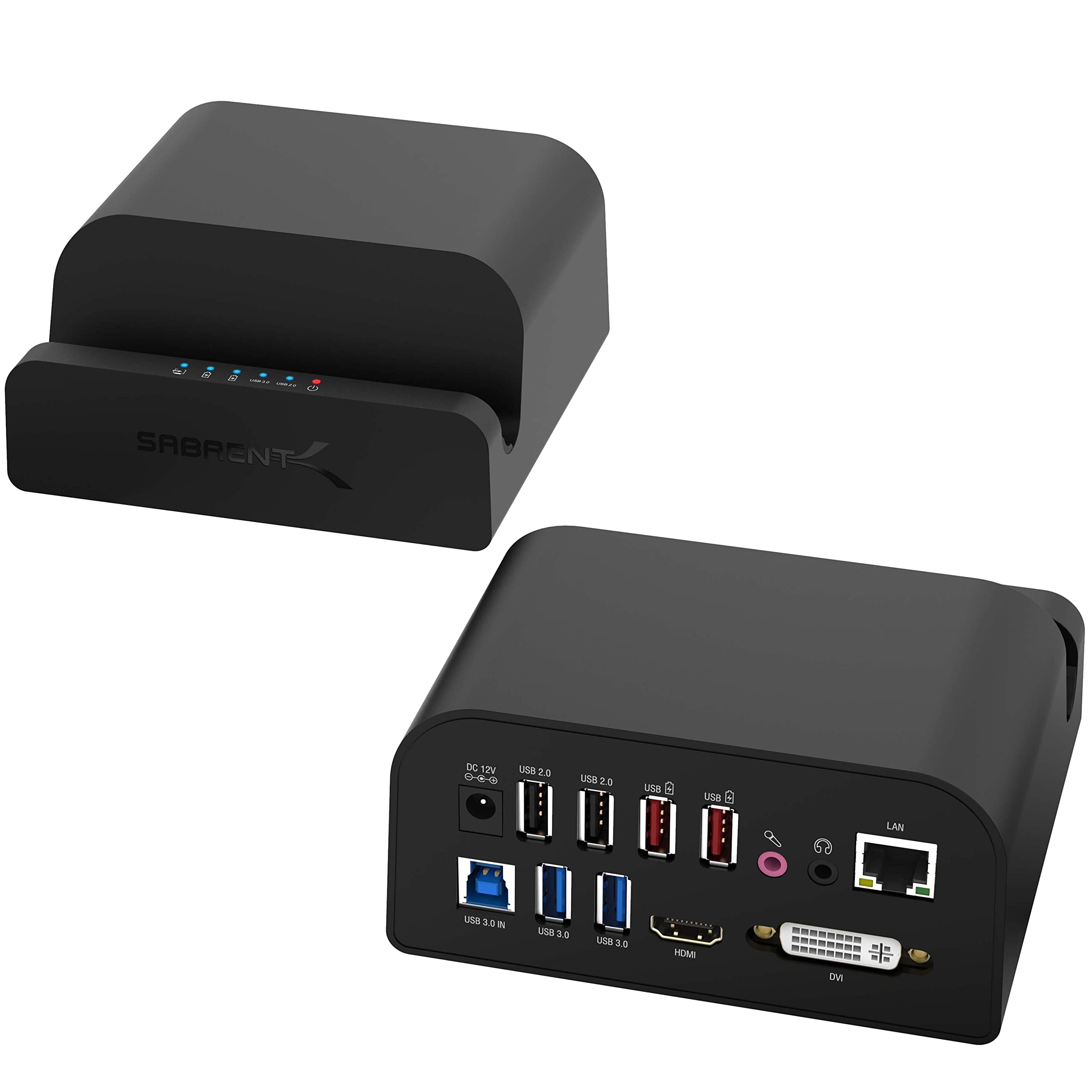
1,000+ ratings
Read Amazon ReviewsSABRENT DS-RICA USB 3.0 Universal Docking Station
A desk-focused option for laptop and tablet users who need dual-display connections, wired gigabit Ethernet, and a mix of USB ports.
- Supports simultaneous HDMI and DVI displays.
- Includes two USB 3.0 ports and two USB 2.0 ports; the listed maximum transfer speeds are up to 5Gbps and 480Mbps, respectively.
- Provides a 10/100/1000 gigabit Ethernet port for wired network connections.
- Has a speaker port and a microphone jack.

Pros
- Combines HDMI and DVI display outputs with stated simultaneous display support.
- Mixes USB 3.0 and USB 2.0 ports for different peripherals.
Consider before buying
- The macOS 10.13.4 DisplayLink display issue makes operating-system and driver compatibility especially important for Mac buyers.
- The two display connections use HDMI and DVI, so check that your monitors accept those inputs or have suitable adapters.
Read the full review summary
The DS-RICA is designed to expand a computer’s connections for a more permanent desk setup.
It supports simultaneous HDMI and DVI displays, includes a speaker port and microphone jack, and combines two USB 3.0 ports with two USB 2.0 ports.
Gigabit Ethernet offers a wired-network option, while two 2.4A charging ports provide additional power connections for devices.
This layout suits someone with a mix of monitors, USB accessories, wired networking, and charging needs.
The key caveat is the product-specific macOS 10.13.4 DisplayLink notice: after that update, connected displays may go blank; the described beta driver allows one extended desktop, while Ethernet and audio functionality are unaffected where implemented.
Buyers should check their operating-system version and current driver requirements before choosing this dock.
The buying factors
SABRENT DS-RICA Dock Scorecard
Editorial scores reflect listed features and buyer fit; they are not laboratory measurements or customer ratings.
Display connections
Simultaneous HDMI and DVI display support gives a desk setup two distinct monitor connections.
USB expansion
Two USB 3.0 and two USB 2.0 ports cover a useful mix of peripheral and data connections.
Wired networking
The 10/100/1000 Ethernet port supports gigabit wired networking.
Charging options
Two dedicated 2.4A fast charging ports add device-charging flexibility.
Audio connectivity
A speaker port and microphone jack are useful additions for a desktop setup.
Mac display fit
The macOS 10.13.4 DisplayLink notice makes OS and driver compatibility a material pre-purchase check.
Key Features and Specifications of SABRENT DS-RICA Dock
- Supports simultaneous HDMI and DVI displays.
- Includes two USB 3.0 ports and two USB 2.0 ports; the listed maximum transfer speeds are up to 5Gbps and 480Mbps, respectively.
- Provides a 10/100/1000 gigabit Ethernet port for wired network connections.
- Has a speaker port and a microphone jack.
- Includes two 2.4A fast charging ports for compatible devices.
- The product information flags a DisplayLink display issue with macOS 10.13.4 and describes a beta driver that permits one extended desktop; Ethernet and audio are unaffected where implemented.
Pros and Cons of SABRENT DS-RICA Dock
Pros
- Combines HDMI and DVI display outputs with stated simultaneous display support.
- Mixes USB 3.0 and USB 2.0 ports for different peripherals.
- Adds gigabit Ethernet, speaker, and microphone connections to the desk setup.
- Two dedicated 2.4A charging ports keep device charging separate from the listed data-port mix.
Consider before buying
- The macOS 10.13.4 DisplayLink display issue makes operating-system and driver compatibility especially important for Mac buyers.
- The two display connections use HDMI and DVI, so check that your monitors accept those inputs or have suitable adapters.
- The listed USB data ports combine USB 3.0 and USB 2.0, so consider whether your regular peripherals need more USB 3.0 connections.
Who Should Buy SABRENT DS-RICA Dock?
Good fit
Consider the DS-RICA if you are building a desk setup around a laptop or tablet and want display, wired-network, audio, and USB connections in one docking station.
Simultaneous HDMI and DVI support is the central draw for users whose monitors match those outputs, while gigabit Ethernet can be useful when a wired network connection is part of the workspace.
Its port mix is practical for a desk with a few everyday accessories: two USB 3.0 ports for devices that benefit from the listed faster transfer rate, two USB 2.0 ports for other peripherals, and two 2.4A charging ports.
Before buying, confirm your computer and display setup work with the dock’s connection and DisplayLink requirements, particularly if your Mac runs macOS 10.13.4.
Who should skip it
Skip this model if your setup requires a different display connection than HDMI or DVI and you do not want to use a suitable adapter.
Mac users who depend on dual extended displays should confirm their specific operating-system and driver compatibility first, given the noted macOS 10.13.4 display behavior.
What the SABRENT DS-RICA Dock Means for a Desk Setup
Two display outputs for a multi-monitor desk
The dock’s simultaneous HDMI and DVI support is a useful starting point for a two-monitor workstation.
The practical fit depends on the monitors: check their available inputs and the computer’s compatibility with the dock before planning a setup, especially if adapters would be needed.
A mixed USB layout
Two USB 3.0 ports and two USB 2.0 ports let the dock serve peripherals with different connection needs.
The faster ports have a listed maximum of up to 5Gbps, while USB 2.0 is listed up to 480Mbps; buyers connecting several high-speed storage devices should consider whether two USB 3.0 ports fit their routine.
Wired network and audio at the desk
Gigabit Ethernet adds a wired-network connection alongside the speaker port and microphone jack.
These connections can reduce the need to route those desk peripherals directly to the computer, subject to compatibility with the computer and the user's existing equipment.
Check Mac display compatibility before purchase
The macOS 10.13.4 note is a meaningful limitation for buyers planning extended displays.
The product information describes a beta DisplayLink driver that allows one extended desktop on that version, and says Ethernet and audio are unaffected where implemented; check current compatibility and your intended display arrangement before relying on the dock.
Alternatives to SABRENT DS-RICA Dock
Laptop Docking Stations alternative
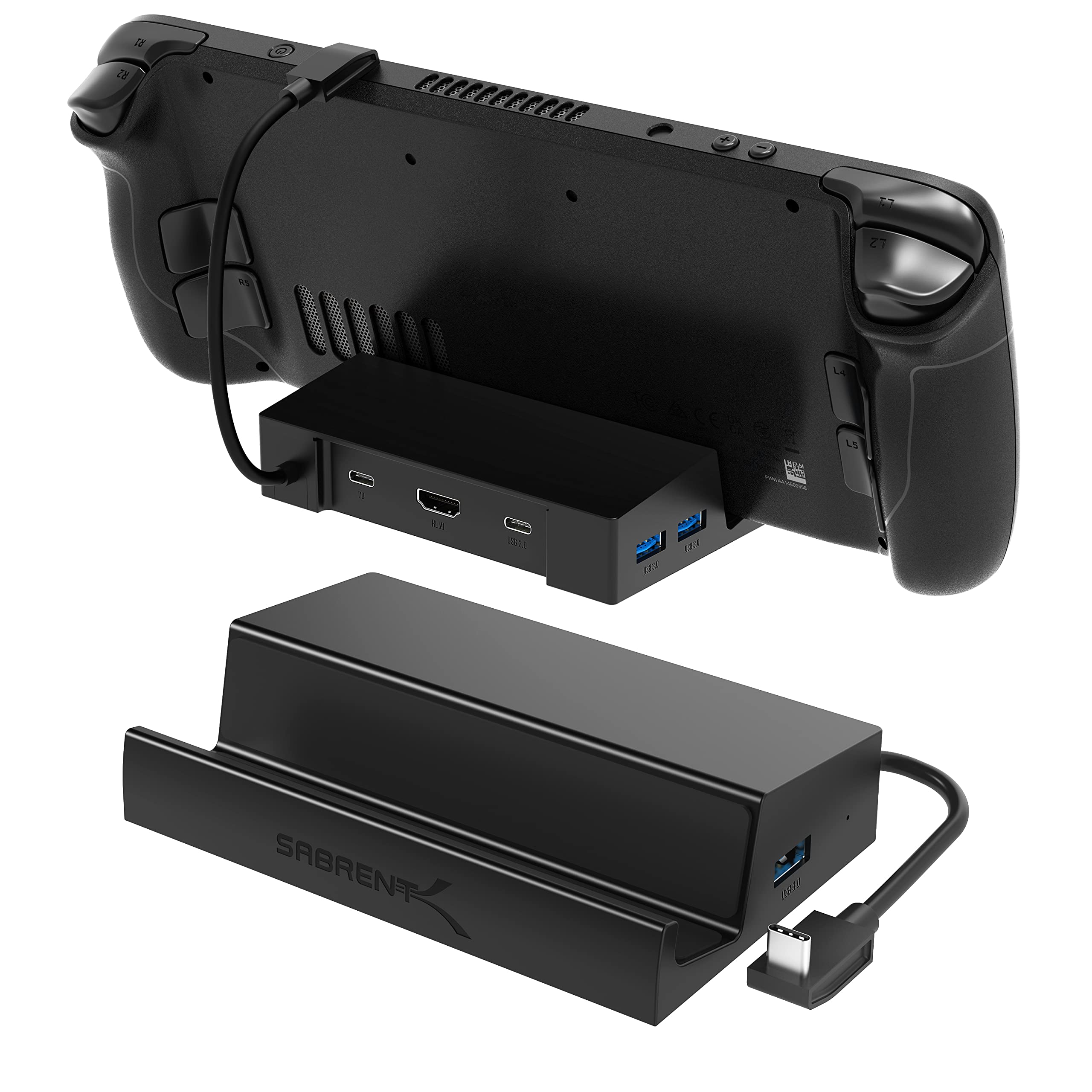
1,000+ ratings
Read Amazon ReviewsSABRENT DS-SD6P 6-Port USB-C Dock
Choose the DS-RICA when HDMI and DVI, wired Ethernet, or audio jacks are central to the setup.
The DS-SD6P is a better fit for compatible USB-C devices when compact travel, USB-C connectivity, and high-power PD charging matter more than built-in Ethernet and audio.
- The DS-SD6P is a compact USB-C dock with HDMI 2.0 output up to 4K at 60Hz for compatible DisplayPort Alt Mode devices, three USB-A 5Gbps ports, one USB-C data port, and up to 95W PD charging.
- It has an integrated cable and does not include Ethernet or M.2 SSD support.
- The DS-RICA provides HDMI and DVI simultaneous display support, gigabit Ethernet, speaker and microphone connections, four USB data ports, and two 2.4A charging ports.
Laptop Docking Stations alternative
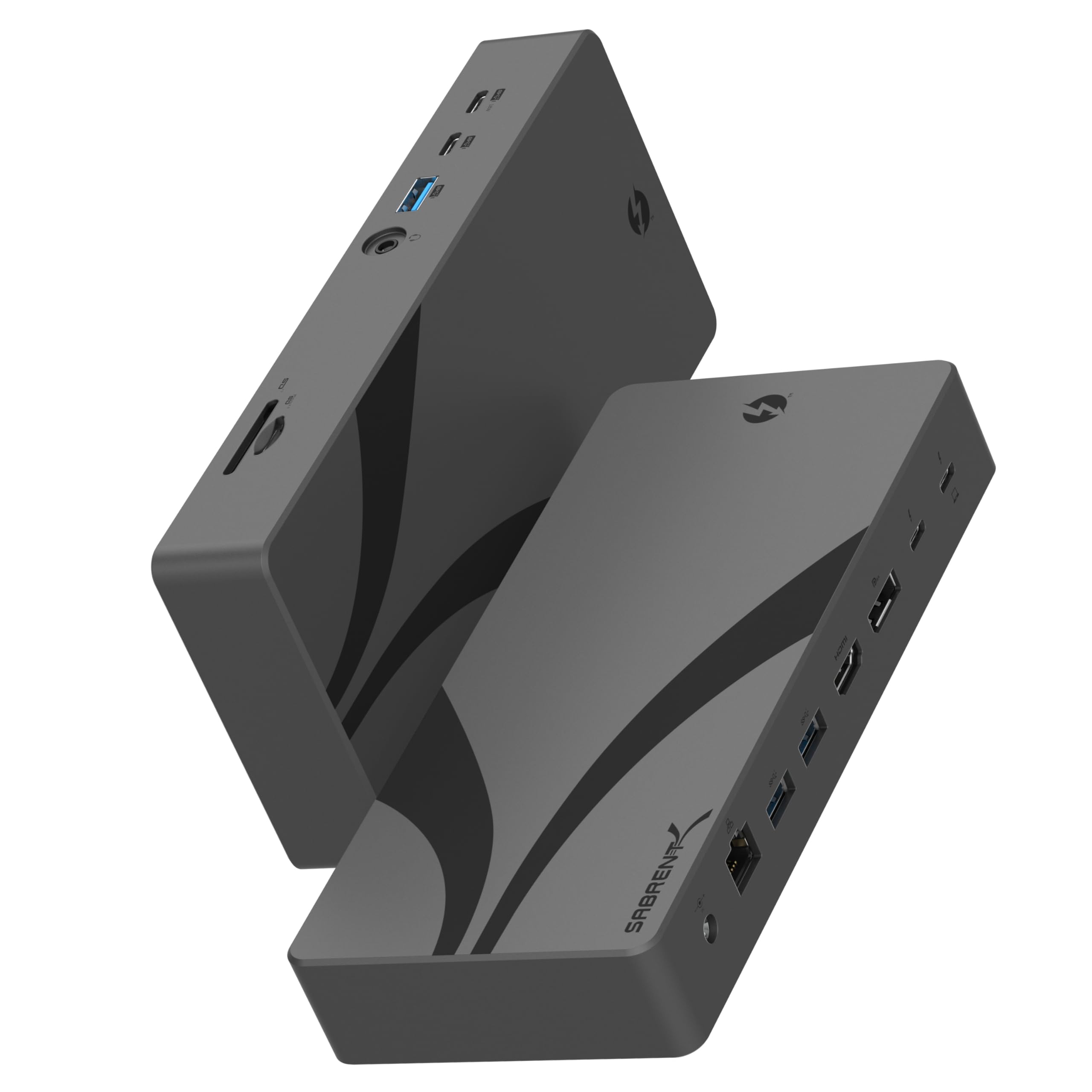
60+ ratings
Read Amazon ReviewsSABRENT DS-T4MF Thunderbolt 4 Docking Station
The DS-T4MF suits buyers whose computer supports its Thunderbolt or USB4 connection and who want a broader high-speed display and card-reader setup.
The DS-RICA is the more direct match when its HDMI and DVI combination and listed USB mix meet the need; confirm computer compatibility before choosing either dock.
- The DS-T4MF supports Thunderbolt 4, USB4, and Thunderbolt 3, with up to 40Gbps transfer speeds.
- Its display options include DisplayPort 1.4, HDMI 2.1, and Thunderbolt 4, alongside USB-C and USB-A ports, gigabit Ethernet, audio, and SD and TF card readers.
- The DS-RICA centers on HDMI and DVI displays, USB 3.0 and 2.0 data ports, gigabit Ethernet, audio jacks, and two 2.4A charging ports.
Is SABRENT DS-RICA Dock Worth It?
The SABRENT DS-RICA USB 3.0 Universal Docking Station is worth considering for a desk setup that can use simultaneous HDMI and DVI, a wired gigabit connection, audio jacks, and a blend of USB ports.
Its broad selection of connections is the main appeal, while its specific display outputs and Mac compatibility caveat make setup checks important.
Before buying, verify that your computer, monitors, and operating-system version fit the dock’s display requirements. If they do, the DS-RICA offers a practical way to consolidate several common desk connections and add two dedicated charging ports.
Your review at a glance
1,000+ ratings
Read Amazon ReviewsSABRENT DS-RICA USB 3.0 Universal Docking Station
A desk-focused option for laptop and tablet users who need dual-display connections, wired gigabit Ethernet, and a mix of USB ports.
- Supports simultaneous HDMI and DVI displays.
- Includes two USB 3.0 ports and two USB 2.0 ports; the listed maximum transfer speeds are up to 5Gbps and 480Mbps, respectively.
- Provides a 10/100/1000 gigabit Ethernet port for wired network connections.
- Has a speaker port and a microphone jack.