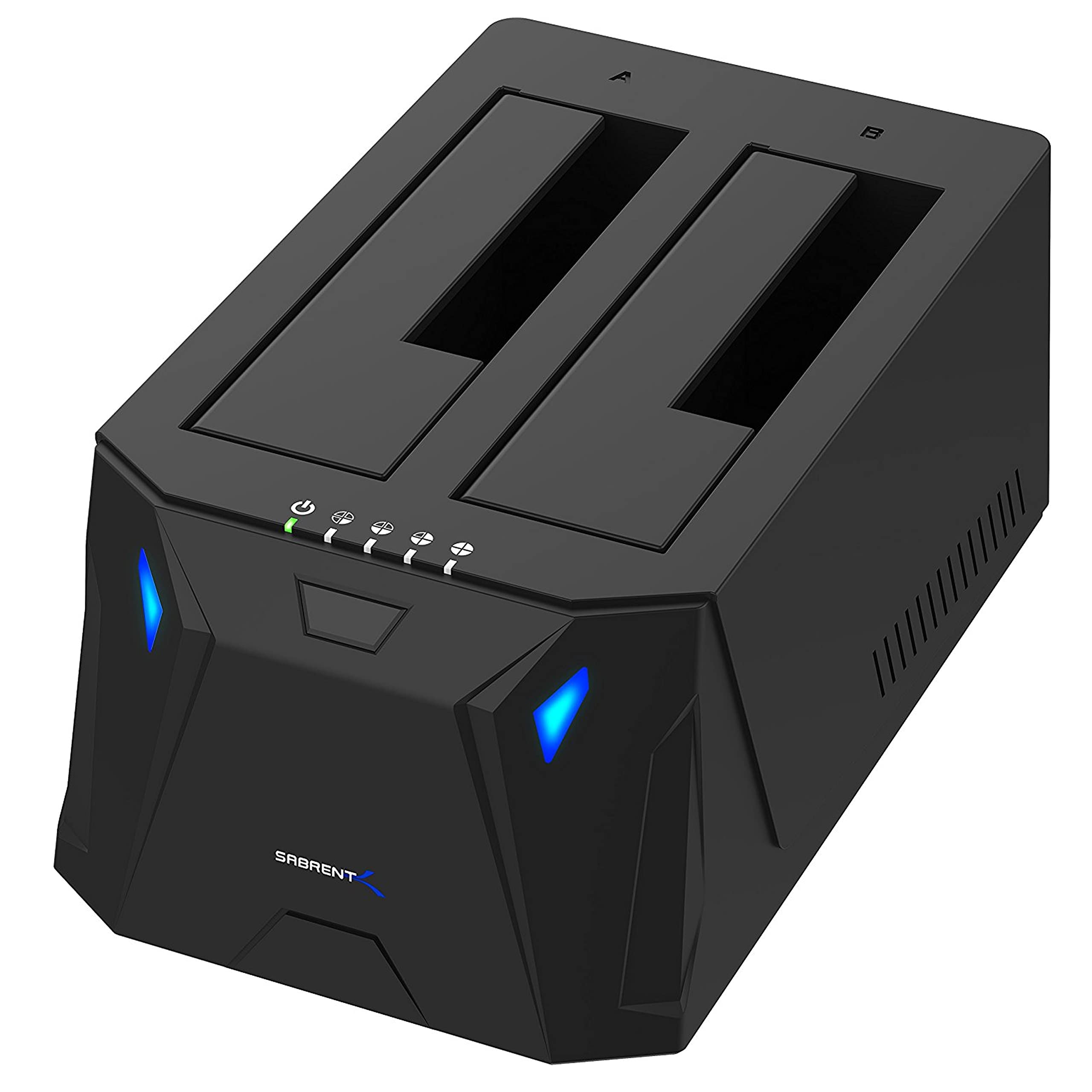
The SABRENT EC-HD2B combines a dual-bay SATA dock with offline drive cloning, giving desktop users a straightforward way to access or duplicate compatible drives.
This sabrent ec hd2b review looks at its capacity guidance, connection speeds, and the tradeoffs to consider before choosing a two-bay dock.
SABRENT EC-HD2B Review Summary
The quick verdict
17,000+ ratings
Read Amazon ReviewsSABRENT EC-HD2B
A practical fit for people who access or clone standard 2.5- and 3.5-inch SATA drives without installing them in a computer.
- Two-bay docking station for standard 2.5-inch and 3.5-inch SATA hard drives and SSDs.
- Offline cloning function allows drive-to-drive copying without connecting a computer for the cloning process.
- USB 3.0 host connection supports transfer speeds up to 5Gbps.
- Backward-compatible transfer rate ceilings are listed as up to 480Mbps over USB 2.0 and 12Mbps over USB 1.1.

Pros
- Accommodates both 2.5-inch and 3.5-inch SATA HDDs and SSDs.
- Combines computer-connected drive access with offline cloning in one dock.
Consider before buying
- The capacity guidance is inconsistent, so buyers using high-capacity drives should verify the supported limit for their intended drive.
- The listed transfer rates are maximum interface ceilings, not a guarantee of a particular real-world copying speed.
Read the full review summary
The EC-HD2B is built for standard 2.5- and 3.5-inch SATA hard drives and SSDs.
Insert drives into its two bays for computer-connected access, or use the offline cloning function to copy from one drive to another without a computer in the process. Plug-and-play operation without separate drivers keeps the setup simple.
Its appeal is strongest for people who work with loose SATA drives: upgrading a computer, accessing a spare drive, or making a direct clone.
USB 3.0 offers a maximum transfer rate of 5Gbps, with lower stated ceilings for USB 2.0 and USB 1.1 connections.
Check the drive’s capacity against the listed support limit before buying: the product details mention both support up to 10TB and a 20+TB figure, so the capacity guidance is inconsistent.
The buying factors
SABRENT EC-HD2B Scorecard
Editorial scores reflect listed features and buyer fit; they are not laboratory measurements or customer ratings.
SATA drive compatibility
The dock supports standard 2.5- and 3.5-inch SATA HDDs and SSDs, covering common internal drive formats.
Drive access flexibility
Two bays allow the dock to accommodate a source and destination drive, as well as drive access workflows.
Offline cloning
Direct cloning without a computer is a useful option for drive duplication and migration tasks.
Connection options
USB 3.0 supports transfer rates up to 5Gbps, with backward-compatible rate ceilings listed for USB 2.0 and USB 1.1.
Setup simplicity
Plug-and-play use without a driver installation makes the basic setup approachable.
Capacity clarity
The supplied capacity information gives conflicting limits, so buyers with large drives should confirm support before purchase.
Key Features and Specifications of SABRENT EC-HD2B
- Two-bay docking station for standard 2.5-inch and 3.5-inch SATA hard drives and SSDs.
- Offline cloning function allows drive-to-drive copying without connecting a computer for the cloning process.
- USB 3.0 host connection supports transfer speeds up to 5Gbps.
- Backward-compatible transfer rate ceilings are listed as up to 480Mbps over USB 2.0 and 12Mbps over USB 1.1.
- Plug-and-play operation is described as requiring no drivers.
- Capacity details include a support limit of up to 10TB in the feature bullets and a 20+TB figure in the product title.
Pros and Cons of SABRENT EC-HD2B
Pros
- Accommodates both 2.5-inch and 3.5-inch SATA HDDs and SSDs.
- Combines computer-connected drive access with offline cloning in one dock.
- USB 3.0 offers a stated maximum transfer rate of 5Gbps.
- Plug-and-play design avoids a separate driver setup.
Consider before buying
- The capacity guidance is inconsistent, so buyers using high-capacity drives should verify the supported limit for their intended drive.
- The listed transfer rates are maximum interface ceilings, not a guarantee of a particular real-world copying speed.
- Offline cloning requires a compatible source and destination drive; confirm the cloning workflow fits the drives and task you have in mind.
Who Should Buy SABRENT EC-HD2B?
Good fit
Consider the EC-HD2B if you regularly handle standard SATA drives and want one device for both access and direct cloning.
The dual-bay arrangement suits a common migration task: connect an older drive and a replacement, then clone without needing a computer during the copy.
It can also be a useful utility for someone who occasionally connects a removed desktop or laptop drive.
Plug-and-play operation helps keep setup uncomplicated, while USB 3.0 gives the dock a higher interface ceiling than its listed USB 2.0 and USB 1.1 modes.
Before choosing it for a large-capacity drive, resolve the product’s conflicting capacity figures with the seller or manufacturer.
For routine use with supported SATA drives, its combination of two bays and offline cloning makes it a capable, focused option.
Who should skip it
Skip this model if your drives are not standard 2.5- or 3.5-inch SATA HDDs or SSDs; the described compatibility does not establish support for other drive types.
Look elsewhere if your purchase depends on confirmed support above 10TB. The available capacity guidance conflicts, so the fit is uncertain until the limit is confirmed.
SABRENT EC-HD2B Review: How the Dual-Bay Design Fits
Two bays for common SATA workflows
The dock’s core value is reducing the friction of working with loose SATA drives. It supports both 2.5-inch and 3.5-inch HDDs and SSDs, so it can serve a mix of common desktop and laptop drive formats.
The two-bay layout is especially relevant when a task involves a source and destination drive, rather than simply reading one disk.
Offline cloning can simplify migration
Cloning is a distinct use from connecting a drive for ordinary file access. The EC-HD2B’s offline function is designed to copy one drive to another without a computer handling the process.
Buyers should make sure their source and target are compatible and that the intended cloning direction and task match the dock’s workflow before starting.
USB speeds depend on the host connection
The stated maximum of 5Gbps applies to USB 3.0, while the listed ceilings fall to 480Mbps for USB 2.0 and 12Mbps for USB 1.1.
These are connection limits rather than promises of a particular drive-copy time; the host port, drives, and workload can affect actual throughput. A USB 3.0 connection is the sensible choice when speed matters.
Confirm capacity before committing
The product information presents two different capacity cues: the feature text says drives up to 10TB, while the title references 20+TB support. That difference matters most for buyers with newer, high-capacity disks.
Confirm the supported limit for the specific drive rather than treating the larger figure as definitive.
Alternatives to SABRENT EC-HD2B
Hard Drive Docking Stations alternative
1,000+ ratings
Read Amazon ReviewsSABRENT EC-CH2B Dual-Bay USB-C SATA Dock
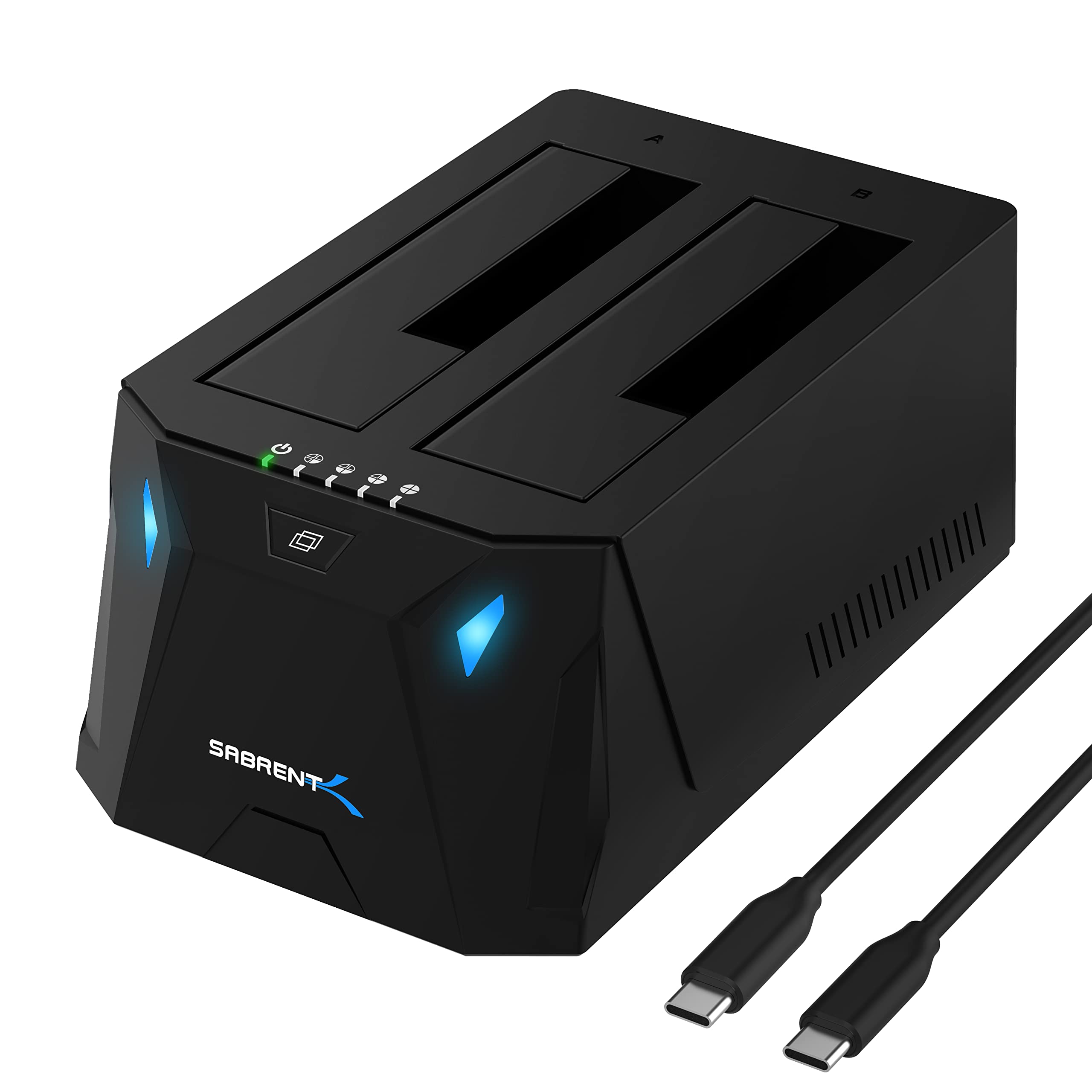
Compare the EC-CH2B if simultaneous drive access, the stated operating-system compatibility, or clearer high-capacity support is important to your setup.
The EC-HD2B remains a reasonable choice when its two-bay SATA and offline-cloning functions meet your needs and its capacity limit is confirmed.
- The EC-CH2B also supports 2.5- and 3.5-inch SATA HDDs, offers offline cloning, and lists USB transfer speeds up to 5Gbps.
- Its description additionally specifies simultaneous read and write access, tool-free installation, hot swapping, an HDD access LED, Windows and Mac compatibility, and support for drives up to 20+TB.
- The EC-HD2B supports standard 2.5- and 3.5-inch SATA drives and lists USB 3.0 transfer speeds up to 5Gbps, alongside offline cloning.
Hard Drive Docking Stations alternative
17,000+ ratings
Read Amazon ReviewsSABRENT DS-U3B4 4-Bay SATA Dock
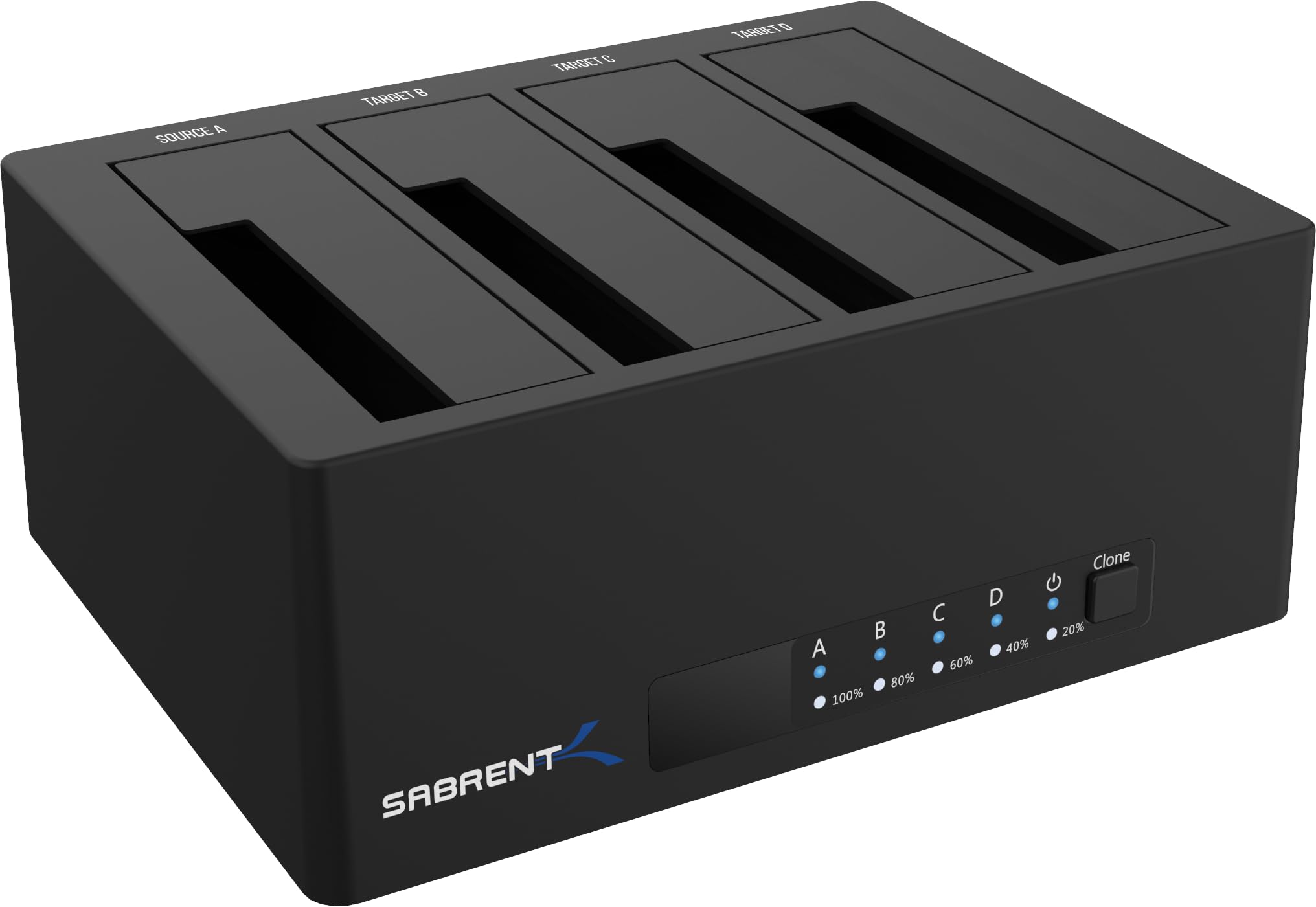
Choose the DS-U3B4 if managing as many as four drives in one dock is more useful than a two-bay setup.
The EC-HD2B is the more suitable fit when two bays are enough for the intended drive access or cloning task.
- The DS-U3B4 supports up to four 2.5- or 3.5-inch SATA drives, USB 3.0 transfers up to 5Gbps, and offline cloning.
- Its trayless design allows direct drive insertion, and LED indicators display clone progress.
- The EC-HD2B provides two bays for standard 2.5- and 3.5-inch SATA drives, with USB 3.0 and offline cloning.
Is SABRENT EC-HD2B Worth It?
The SABRENT EC-HD2B is worth considering for people who need a simple two-bay dock for standard SATA HDDs and SSDs, especially when offline cloning is part of the job.
Its plug-and-play setup and USB 3.0 connection make it a practical tool for drive access and migration.
Confirm capacity support before using it with a large drive, since the listed limit is inconsistent.
If your drives are within a verified supported capacity and you value direct cloning, the EC-HD2B is a sensible option; if you need more bays or specific high-capacity assurance, compare alternatives first.
Your review at a glance
17,000+ ratings
Read Amazon ReviewsSABRENT EC-HD2B
A practical fit for people who access or clone standard 2.5- and 3.5-inch SATA drives without installing them in a computer.
- Two-bay docking station for standard 2.5-inch and 3.5-inch SATA hard drives and SSDs.
- Offline cloning function allows drive-to-drive copying without connecting a computer for the cloning process.
- USB 3.0 host connection supports transfer speeds up to 5Gbps.
- Backward-compatible transfer rate ceilings are listed as up to 480Mbps over USB 2.0 and 12Mbps over USB 1.1.