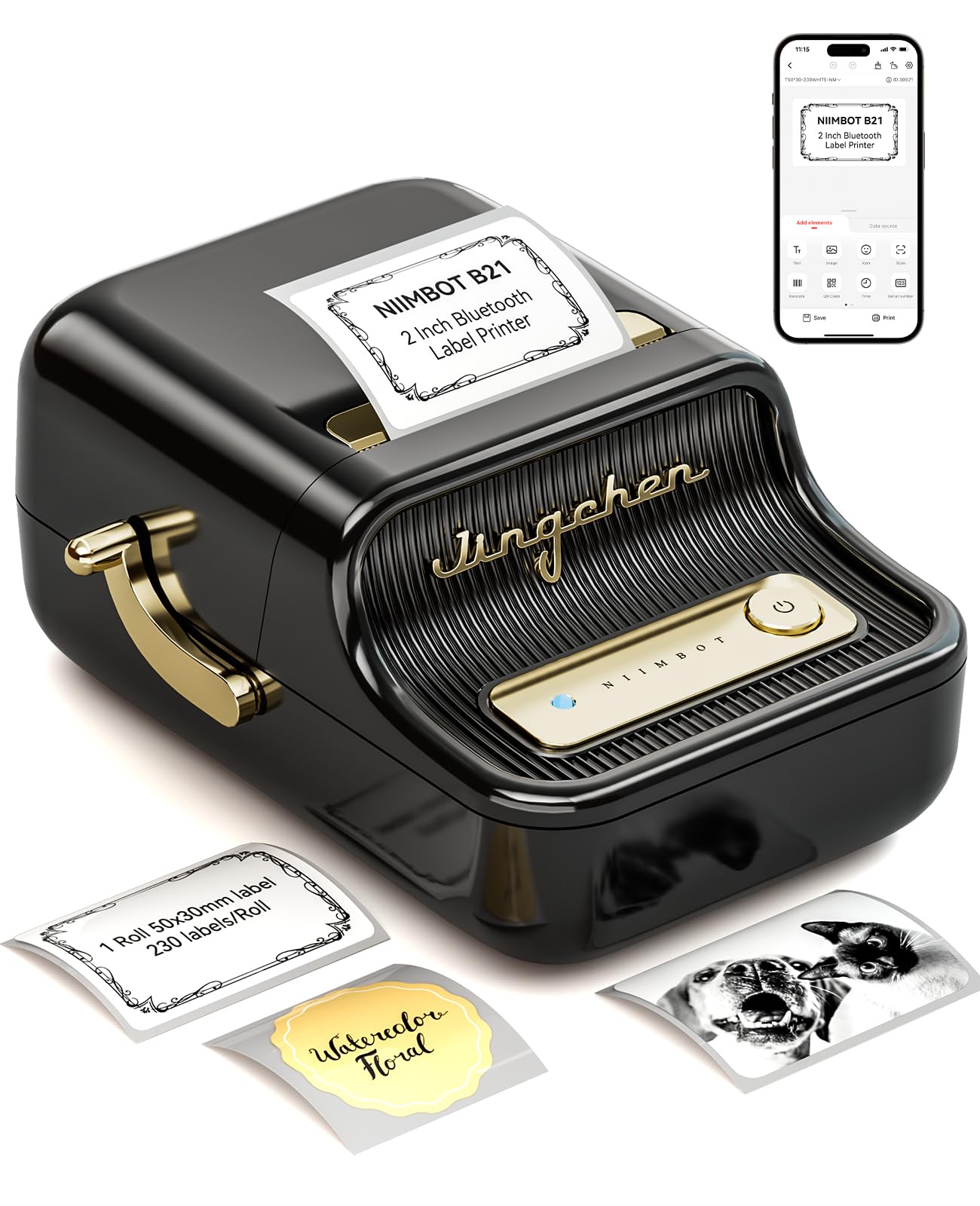
The NIIMBOT B21 is a Bluetooth thermal label maker built for flexible, phone-based labeling across small business and home tasks.
This review niimbot b21 guide focuses on its wider label support, app tools, and the practical limits to consider before buying.
NIIMBOT B21 Review Summary
The quick verdict
1,000+ ratings
Read Amazon ReviewsNIIMBOT B21
A useful fit for small businesses and home organizers who want app-designed labels up to two inches wide without ink or toner.
- Prints on labels from 0.8 to 2 inches wide, accommodating a range of small labeling jobs.
- Uses direct thermal printing, so labels do not require ink, toner, or carbon tape.
- Connects to the NIIMBOT app through Bluetooth for label creation and printing.
- App tools include 20-plus fonts, 1,000-plus image materials, automatic template matching, and adjustable content placement.

Pros
- A two-inch maximum label width allows more layout space than a narrow tape-only format.
- Thermal operation removes the need to buy ink or toner.
Consider before buying
- Labels are a recurring supply, and the provided details do not specify refill cost or availability.
- The described workflow centers on a smartphone app and Bluetooth, so buyers planning computer-based label creation should confirm compatibility before choosing it.
Read the full review summary
The B21 supports label widths from 0.8 to 2 inches, giving it room for more varied formats than narrow household labelers.
The NIIMBOT app adds templates, fonts, image recognition, barcode and QR code scanning, and Excel batch printing, which may help when labels need more than a short name or category.
Its strongest fit is a small shop, craft operation, or organized home that needs portable labels for prices, jewelry, jars, addresses, or similar items.
Thermal printing avoids ink and toner purchases, though users should plan around label refills and the stated battery runtime of up to four hours.
The buying factors
NIIMBOT B21 Scorecard
Editorial scores reflect listed features and buyer fit; they are not laboratory measurements or customer ratings.
Label width flexibility
The 0.8-to-2-inch range supports a useful variety of compact label formats.
App design tools
Templates, fonts, image materials, image recognition, and content positioning give users several design options.
Batch workflow
Excel batch printing and barcode-related tools are useful for repeated business labeling tasks.
Running-cost simplicity
Direct thermal printing requires label paper rather than ink, toner, or carbon tape.
Portability
Bluetooth operation and a rechargeable battery suit mobile use, with up to four hours of work per charge.
Computer workflow
The supplied details describe phone app use and Bluetooth pairing but do not establish computer compatibility.
Key Features and Specifications of NIIMBOT B21
- Prints on labels from 0.8 to 2 inches wide, accommodating a range of small labeling jobs.
- Uses direct thermal printing, so labels do not require ink, toner, or carbon tape.
- Connects to the NIIMBOT app through Bluetooth for label creation and printing.
- App tools include 20-plus fonts, 1,000-plus image materials, automatic template matching, and adjustable content placement.
- Supports Excel batch printing, image recognition, and scanning or identifying 1D and 2D codes.
- The rechargeable battery is described as supporting up to four hours of work; automatic shutdown after 15 minutes of inactivity is intended to conserve power.
Pros and Cons of NIIMBOT B21
Pros
- A two-inch maximum label width allows more layout space than a narrow tape-only format.
- Thermal operation removes the need to buy ink or toner.
- Batch printing and code tools can help with repeatable small-business labeling.
- Image recognition can turn text in photos into editable text within the app workflow.
Consider before buying
- Labels are a recurring supply, and the provided details do not specify refill cost or availability.
- The described workflow centers on a smartphone app and Bluetooth, so buyers planning computer-based label creation should confirm compatibility before choosing it.
- A battery runtime of up to four hours may require charging during longer or frequent work sessions.
Who Should Buy NIIMBOT B21?
Good fit
Consider the B21 if you need one compact printer for varied small labels rather than a dedicated shipping-label machine.
Its 0.8-to-2-inch media range and app-based design tools can suit price tags, jewelry labels, jar labels, addresses, and other short-run business or household jobs.
It may be especially useful when your workflow includes repeated designs or batches. Excel batch printing can reduce repetitive entry, while image recognition and code scanning add options for turning existing material into label content.
Before buying, check that the label widths and formats you plan to use are available as compatible refills, and confirm the app workflow fits your phone and operating system.
If you expect long sessions, factor in the stated battery runtime and access to charging.
Who should skip it
Skip this model if your main need is standard 4-by-6 shipping labels; the B21 is described for labels up to two inches wide, so that shipping format falls outside its stated range.
Look elsewhere if your workflow depends on confirmed computer-based design or printing. The supplied product details describe app and Bluetooth use without establishing PC support.
How the NIIMBOT B21 Fits Small Business Labeling
A wider format for compact labels
The two-inch maximum width is a practical distinction for users who need room for more than a brief identifier.
It leaves space for longer wording, product details, or code-based labels, while remaining intended for smaller labeling work rather than parcel shipping labels.
App tools for repeat work
Automatic template matching provides a starting point, while adjustable text and image placement allows customization.
Excel batch printing is relevant when a shop needs a series of labels with changing entries; image recognition may help convert photographed text into editable content before printing.
Thermal printing and ongoing supplies
Direct thermal output simplifies printer upkeep because ink and toner are not part of the consumables routine.
The tradeoff is that label paper remains necessary, so buyers should consider the cost and availability of the formats they expect to use before settling on the printer.
Portable use with a battery limit
Bluetooth pairing and a rechargeable battery make it suited to moving between work areas without relying on a fixed desktop setup.
The stated runtime is up to four hours, so a high-volume day or extended labeling session may call for a charging plan.
Alternatives to NIIMBOT B21
Desktop Label Printers alternative
6,000+ ratings
Read Amazon ReviewsPhomemo M110
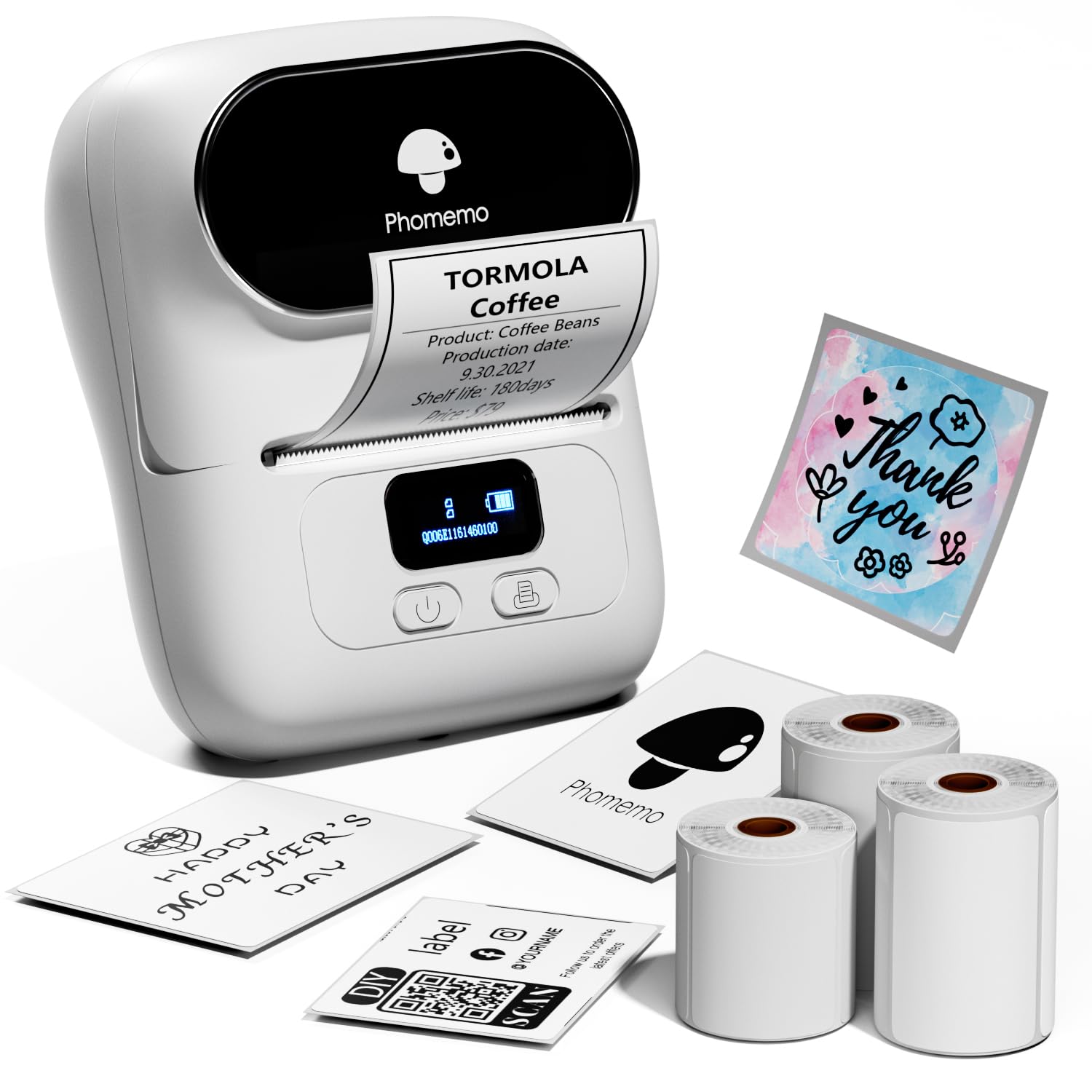
Choose the B21 if its NIIMBOT app tools and stated width range suit your setup. Consider the M110 if clear-label compatibility and the included assortment of label rolls are more useful to your workflow.
- The Phomemo M110 supports 20-to-50 mm label widths, lists clear label support, and includes three label rolls in the described package.
- Its app workflow also supports Excel batch printing.
- The NIIMBOT B21 supports labels from 0.8 to 2 inches wide and includes app tools such as image recognition and Excel batch printing.
Desktop Label Printers alternative
28,000+ ratings
Read Amazon ReviewsPhomemo D30
The B21 is the more relevant option when you want a label maker specified for widths up to two inches and its batch or image tools.
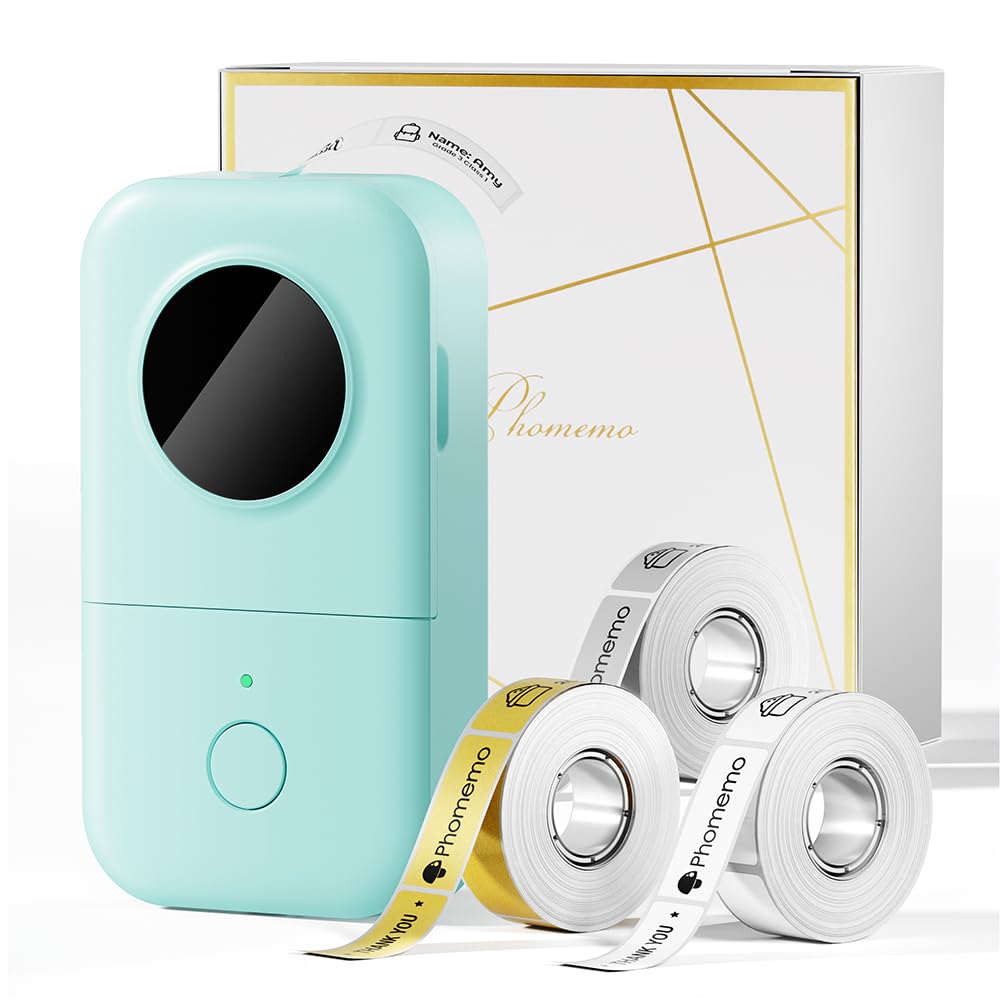
The D30 is a better fit if a smaller handheld format and the included tape variety matter more.
- The Phomemo D30 is a mini Bluetooth label maker that supports continuous and fixed-length tapes, with templates for symbols, frames, tables, barcodes, and QR codes.
- It prints monochrome output and is supplied with white, gold, and clear tapes.
- The NIIMBOT B21 reaches two inches in label width and offers batch printing, image recognition, and scanning for 1D and 2D codes.
Is NIIMBOT B21 Worth It?
The NIIMBOT B21 is worth considering for small businesses and home users who need flexible, app-designed labels up to two inches wide.
Thermal printing keeps the workflow free of ink and toner, while batch and image tools add value for repeated or information-rich labels.
Buy it if the label formats you need are available as refills and a phone-based Bluetooth workflow matches your routine.
For standard shipping labels or a computer-first setup, choose a printer whose supported format and connection options are explicitly suited to those needs.
Your review at a glance
1,000+ ratings
Read Amazon ReviewsNIIMBOT B21
A useful fit for small businesses and home organizers who want app-designed labels up to two inches wide without ink or toner.
- Prints on labels from 0.8 to 2 inches wide, accommodating a range of small labeling jobs.
- Uses direct thermal printing, so labels do not require ink, toner, or carbon tape.
- Connects to the NIIMBOT app through Bluetooth for label creation and printing.
- App tools include 20-plus fonts, 1,000-plus image materials, automatic template matching, and adjustable content placement.