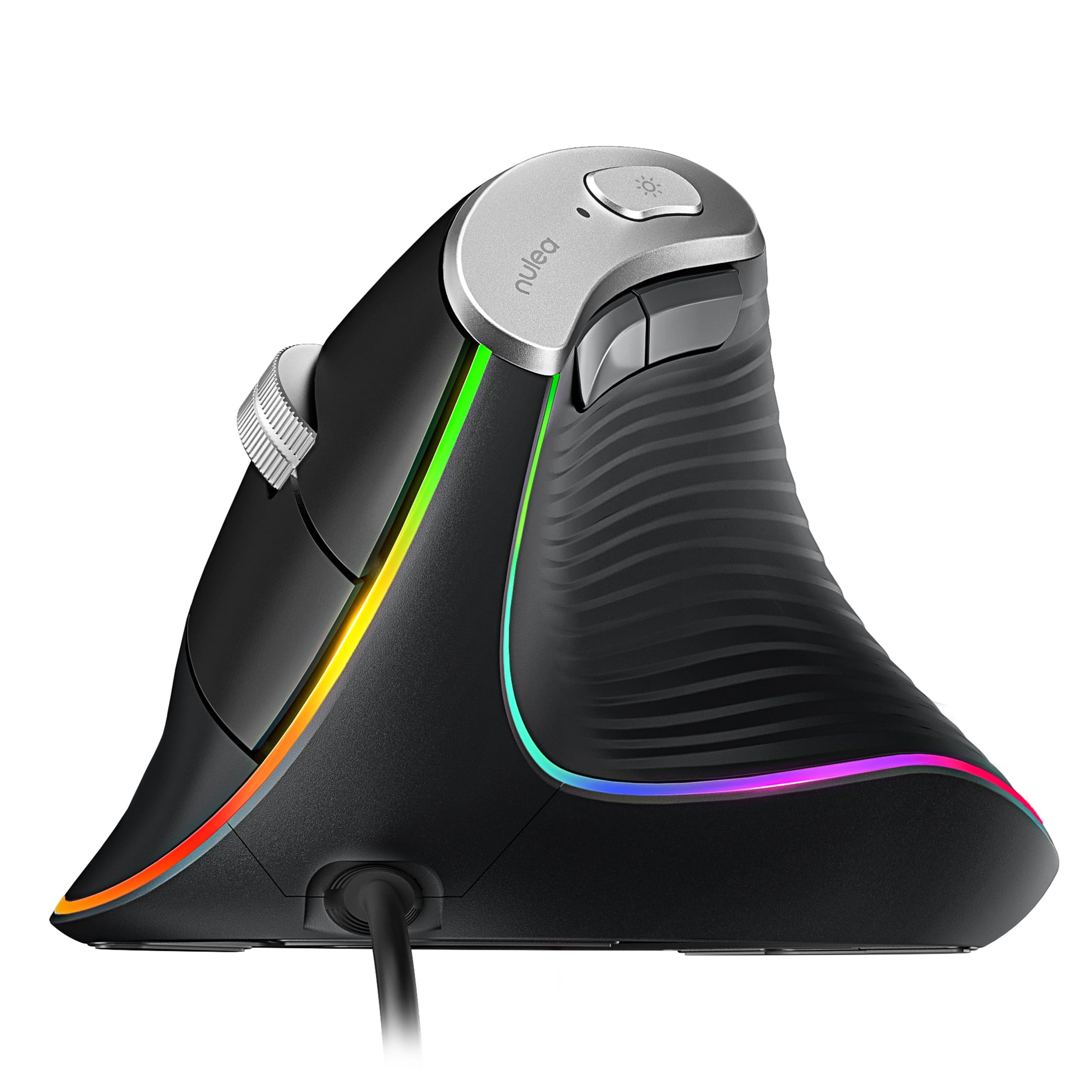
The Nulea M504 is a right-handed wired vertical mouse with a 57-degree grip, four selectable DPI levels, and RGB lighting.
This nulea m504 review looks at its ergonomic shape, straightforward USB setup, and the practical tradeoffs of choosing a specialized mouse for everyday computer work.
Nulea M504 Review Summary
The quick verdict
1,000+ ratings
Read Amazon ReviewsNulea M504
A right-handed wired vertical mouse for desk users who want adjustable cursor speed, extra navigation buttons, and a distinctive grip.
- Right-handed vertical shape with a 57-degree grip angle, designed to hold the forearm in a more natural position.
- Four selectable DPI levels: 800, 1200, 2400, and 3200.
- Wired connection through a USB 2.0 interface, with a 1.8-meter cable and plug-and-play setup.
- Six buttons, including forward and back navigation controls; buttons are not programmable.

Pros
- The vertical grip gives the mouse a distinct ergonomic shape for users seeking an alternative to a conventional flat mouse.
- Four DPI settings allow pointer response to be adjusted for different tasks and preferences.
Consider before buying
- The vertical grip may take a few days to get used to, so the change can feel unfamiliar at first.
- The forward and back buttons are not compatible with macOS.
Read the full review summary
The M504 stands out for combining a vertical form with useful everyday controls.
Its four DPI settings cover a range from slower, more deliberate pointer movement to a faster response, while the forward and back buttons can make browser navigation and other routine tasks more convenient.
A 1.8-meter cable and USB 2.0 connection also keep setup simple for a compatible computer.
Its design is aimed at right-handed users willing to adjust to a different way of holding a mouse.
The vertical shape may take a few days to feel familiar, and the forward and back buttons do not work with macOS.
Buyers should also know that its six buttons are not programmable, so this is best suited to people who value the included controls over custom shortcuts.
The buying factors
Nulea M504 Scorecard
Editorial scores reflect listed features and buyer fit; they are not laboratory measurements or customer ratings.
Grip design
The 57-degree vertical angle is a clear ergonomic design choice for a more natural forearm position, though adapting to it can take time.
Pointer-speed flexibility
Four selectable settings—800, 1200, 2400, and 3200 DPI—offer useful range for browsing, diagrams, and other desktop tasks.
Setup simplicity
The wired USB 2.0 connection is plug and play and requires no driver installation.
Navigation controls
Forward and back buttons add convenient navigation, with macOS compatibility limited for those buttons.
Customization
The DPI can be adjusted, but the buttons are non-programmable, limiting personalized control.
Portability
Its lightweight design and 1.8-meter cable make it easy to carry, though it remains a wired mouse.
Key Features and Specifications of Nulea M504
- Right-handed vertical shape with a 57-degree grip angle, designed to hold the forearm in a more natural position.
- Four selectable DPI levels: 800, 1200, 2400, and 3200.
- Wired connection through a USB 2.0 interface, with a 1.8-meter cable and plug-and-play setup.
- Six buttons, including forward and back navigation controls; buttons are not programmable.
- Eleven RGB backlight modes illuminate the mouse outline, with adjustable underglow.
- Optical movement detection, a metal non-slip scroll wheel, and a matte plastic enclosure.
- Compatible-device information includes laptops and personal computers; listed operating systems include Windows, iPadOS, and macOS. Forward and back buttons are not compatible with macOS.
Pros and Cons of Nulea M504
Pros
- The vertical grip gives the mouse a distinct ergonomic shape for users seeking an alternative to a conventional flat mouse.
- Four DPI settings allow pointer response to be adjusted for different tasks and preferences.
- Plug-and-play USB operation avoids driver setup and battery charging.
- Forward and back buttons provide handy navigation controls on compatible systems.
- The cable is 1.8 meters long, and the mouse is described as lightweight and portable.
Consider before buying
- The vertical grip may take a few days to get used to, so the change can feel unfamiliar at first.
- The forward and back buttons are not compatible with macOS.
- The six buttons are non-programmable, which limits custom shortcuts.
- The wired connection may be inconvenient for buyers who prioritize a cable-free desk or travel setup.
Who Should Buy Nulea M504?
Good fit
Consider the M504 if you want to try a vertical mouse for regular desk work and prefer the reliability and simplicity of a wired USB connection.
The angled grip is its defining feature, while the adjustable DPI, scroll wheel, and browser-style navigation buttons make it more than a basic pointer.
It is a stronger fit if you use Windows or another compatible setup and can work within the included button layout.
The 1.8-meter cable and lightweight design also make it practical to move between a home desk and a laptop bag, provided a wired mouse suits your routine.
Give yourself time to adapt to the different grip. If the forward and back buttons matter to your workflow, confirm your operating system supports them before choosing the M504.
Who should skip it
Skip it if you need a wireless mouse or want all controls to work with macOS; the M504 is wired, and its forward and back buttons are not compatible with that operating system.
Look elsewhere if you rely on remapping buttons to build a personalized shortcut layout, or if you prefer a familiar conventional mouse shape and do not want an adjustment period.
How the Nulea M504 Fits Everyday Work
A vertical grip with an adjustment period
The M504’s 57-degree angle changes how the hand approaches the mouse.
That design may appeal to someone seeking a grip that keeps the forearm in a more natural position, but the product description notes that it can take a few days to adapt.
Buyers switching from a conventional mouse should expect a learning curve rather than assuming the new shape will feel immediately familiar.
DPI options for different tasks
The four settings span 800 to 3200 DPI, giving users options for pointer responsiveness. Lower settings may suit slower, more controlled movement, while higher settings can be useful when a smaller physical movement should cover more screen space.
The included choices provide adjustment without relying on a programmable button layout.
A simple wired setup, with system-specific controls
USB 2.0 and plug-and-play operation keep installation straightforward, and the 1.8-meter cable offers room to position the mouse at a typical desk. The navigation buttons add convenience where supported, but macOS users should account for their incompatibility.
The six buttons cannot be reassigned, so the mouse works best for buyers comfortable with its built-in arrangement.
Lighting and everyday details
Eleven RGB backlight modes and adjustable underglow add a visual accent, while the metal non-slip scroll wheel and matte plastic enclosure round out the hardware.
These details support an everyday desktop role, but the M504’s main buying case remains its angled grip and adjustable pointer speed rather than its lighting.
Alternatives to Nulea M504
Battery-focused alternative
1,000+ ratings
Read Amazon ReviewsJLab GO Charge Wireless Mouse
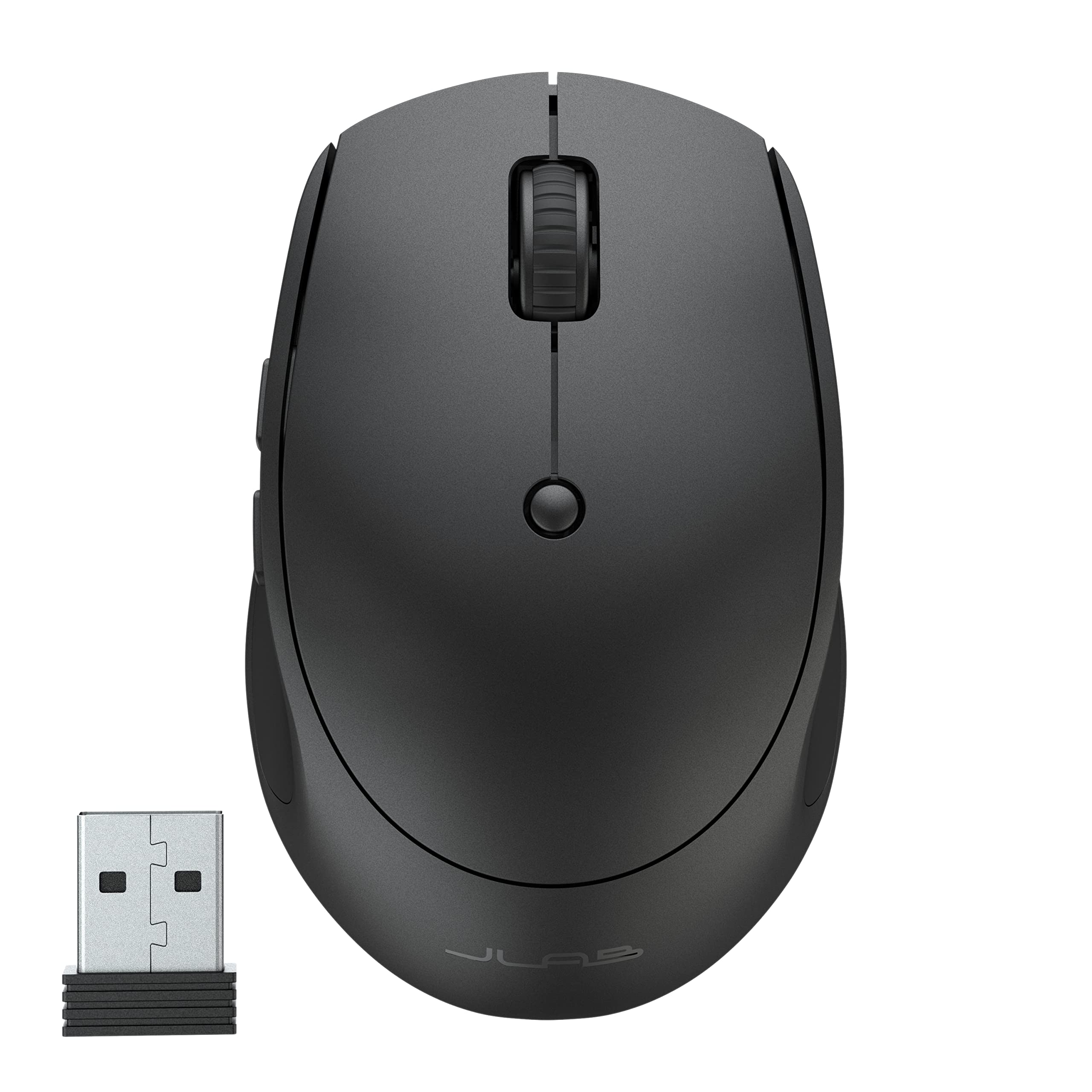
Choose the M504 if a vertical grip and wired plug-and-play setup are your priorities. The JLab is a better fit if you want wireless multi-device switching, silent clicks, and rechargeable portability.
- The JLab GO Charge connects to up to three devices through Bluetooth 5 or a USB wireless dongle, offers adjustable DPI tracking, and has a rechargeable battery described as lasting four or more months per charge.
- It is compact and has silent-click buttons.
- The Nulea M504 has a right-handed vertical grip, a wired USB connection, four DPI choices, and forward and back buttons that are not programmable.
Computer Mice alternative
800+ ratings
Read Amazon ReviewsSteelSeries Aerox 3 Gaming Mouse
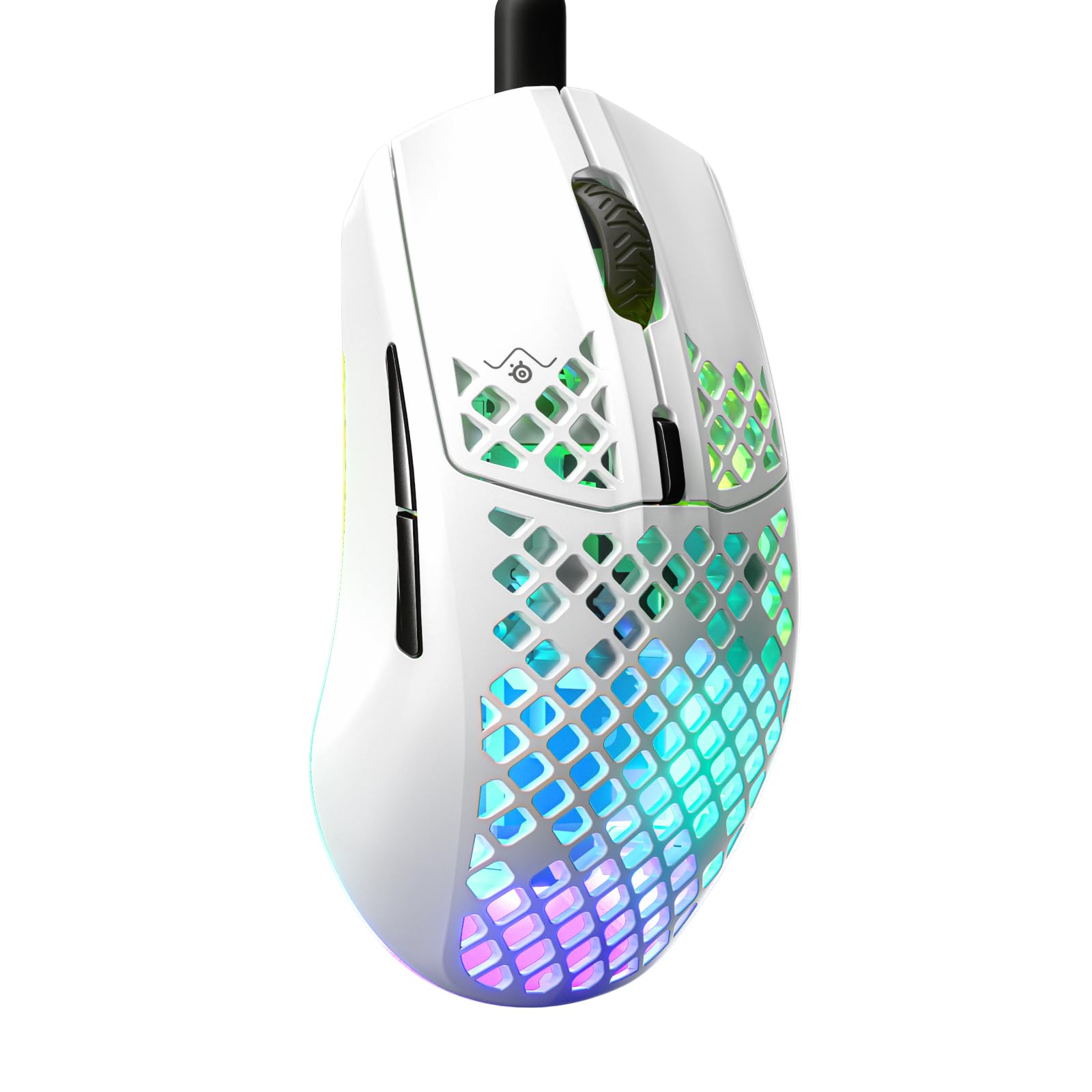
The M504 suits buyers focused on a vertical grip and routine work controls. Consider the Aerox 3 if your priority is a lightweight gaming design with higher listed sensor sensitivity and gaming-oriented features.
- The SteelSeries Aerox 3 is a wired gaming mouse with an 8500 DPI optical sensor, a 59-gram perforated shell, three-zone RGB lighting, and an interior rated IP54 for protection from water splashes, dust, and dirt.
- The Nulea M504 is designed around a vertical ergonomic grip and everyday computer use, with four DPI settings up to 3200.
Is Nulea M504 Worth It?
The Nulea M504 is worth considering if you want to try a right-handed vertical mouse without giving up straightforward wired USB setup.
Its adjustable DPI, navigation buttons, and 1.8-meter cable make it a practical option for everyday computer use.
Buy it with the grip adjustment and control limits in mind: the shape may take a few days to learn, its buttons cannot be programmed, and forward and back do not work with macOS.
If those tradeoffs fit your routine, the M504 offers a focused ergonomic design with useful pointer-speed choices.
Your review at a glance
1,000+ ratings
Read Amazon ReviewsNulea M504
A right-handed wired vertical mouse for desk users who want adjustable cursor speed, extra navigation buttons, and a distinctive grip.
- Right-handed vertical shape with a 57-degree grip angle, designed to hold the forearm in a more natural position.
- Four selectable DPI levels: 800, 1200, 2400, and 3200.
- Wired connection through a USB 2.0 interface, with a 1.8-meter cable and plug-and-play setup.
- Six buttons, including forward and back navigation controls; buttons are not programmable.