The Liene M100 photo printer review comes down to a simple question: do you want an easy way to turn phone pictures into 4×6-inch prints at home?
Its dedicated Wi-Fi hotspot, editing app and included paper make it a practical fit for family photos and small print batches.
Liene M100 Review Summary
The quick verdict
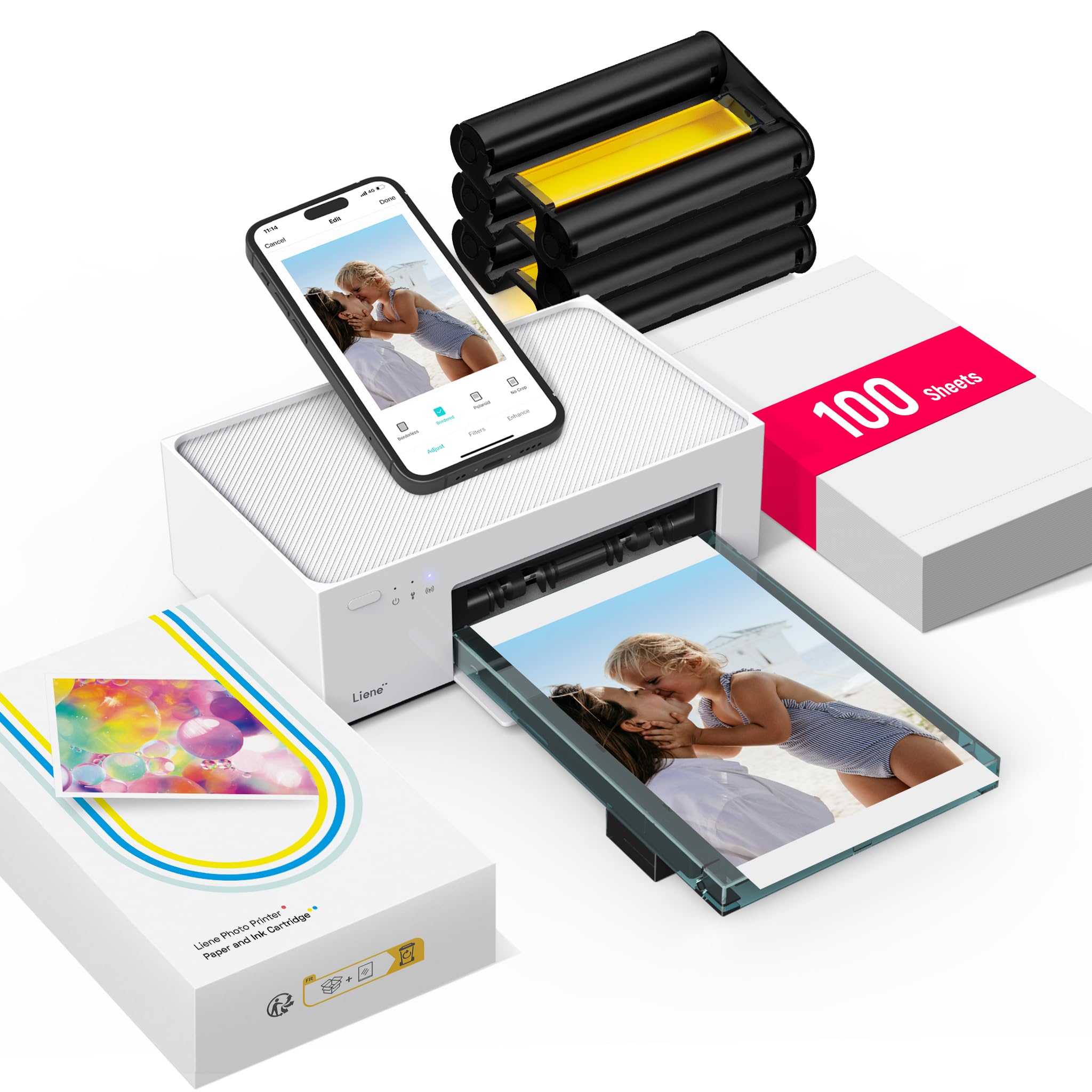
4,000+ ratings
Read Amazon ReviewsLiene M100
A compact 4×6-inch dye-sublimation printer for households that want to turn smartphone photos into shareable physical prints.
- Prints color photos on glossy 4×6-inch paper using dye-sublimation technology.
- The laminated photo surface is designed to resist water, scratches, fingerprints and fading.
- A built-in Wi-Fi hotspot connects phones directly to the printer without requiring another network.
- Supports up to five simultaneous device connections.

Pros
- A generous included paper supply and three cartridges reduce the need to shop for initial consumables.
- A direct hotspot connection is useful when you want to print from a phone without depending on the home network.
Consider before buying
- The 4×6-inch photo format is specialized; buyers who need routine document printing should choose a more versatile printer.
- The printer uses Liene proprietary cartridges, so check replacement availability and ongoing supply cost before committing to regular printing.
Read the full review summary
The M100 focuses on straightforward smartphone printing. It uses dye-sublimation technology for color photos, and the laminated print surface is designed to resist water, scratches, fingerprints and fading.
A built-in hotspot lets a phone connect directly to the printer, while the app offers basic adjustments and creative options before printing.
The package includes 100 sheets of 4×6-inch photo paper and three color cartridges, so buyers can start with a meaningful supply.
The printer can also accept connections from up to five devices at once, which may suit a household or get-together where people want to print from their own phones.
It is best for people who want physical photos from mobile devices rather than an all-purpose document printer.
The buying factors
Liene M100 Scorecard
Editorial scores reflect listed features and buyer fit; they are not laboratory measurements or customer ratings.
Phone printing convenience
A built-in hotspot and app-based controls support a direct smartphone printing routine.
Print finish
Dye-sublimation printing and a laminated surface are designed for colorful prints with added surface protection.
Included supplies
The bundle includes 100 sheets of photo paper and three color cartridges.
Multi-device sharing
Up to five simultaneous connections can accommodate several people or devices.
Creative controls
The app supports borders, filters, contrast and brightness adjustments, plus print-status checks.
Everyday flexibility
Its documented role is photo printing on 4×6-inch media, so it is specialized rather than an all-purpose printer.
Key Features and Specifications of Liene M100
- Prints color photos on glossy 4×6-inch paper using dye-sublimation technology.
- The laminated photo surface is designed to resist water, scratches, fingerprints and fading.
- A built-in Wi-Fi hotspot connects phones directly to the printer without requiring another network.
- Supports up to five simultaneous device connections.
- The companion app offers square borders, filters, contrast and brightness adjustments, and print-status checks.
- The package includes 100 sheets of photo paper, three color cartridges and a sealed cassette.
- The product details list USB Type-C connectivity as well as Wi-Fi.
Pros and Cons of Liene M100
Pros
- A generous included paper supply and three cartridges reduce the need to shop for initial consumables.
- A direct hotspot connection is useful when you want to print from a phone without depending on the home network.
- The app gives you several basic ways to tailor an image before printing.
- Up to five connected devices make it easier to share printing among family or friends.
Consider before buying
- The 4×6-inch photo format is specialized; buyers who need routine document printing should choose a more versatile printer.
- The printer uses Liene proprietary cartridges, so check replacement availability and ongoing supply cost before committing to regular printing.
- The description advises checking that the cartridge clicks into place and cleaning the print head promptly if smudges appear, adding some hands-on attention to use.
Who Should Buy Liene M100?
Good fit
Consider the Liene M100 if your main goal is to print phone photos at home in a familiar 4×6-inch size.
Its direct hotspot connection and companion app make it appealing for casual use, while the included 100 sheets and three cartridges give you room to print a batch before replenishing supplies.
It could also suit households that share photos across several phones.
The support for up to five simultaneous connections means multiple people can connect, and app controls for borders, filters and image adjustments add flexibility for keepsakes or home ID and visa photos.
Who should skip it
Skip it if you need one printer for both photos and everyday paperwork, or if you want to print in sizes other than 4×6 inches. The described design centers on glossy photo paper and print-only use.
If you expect frequent or high-volume printing, compare the cost and availability of compatible Liene cartridges and paper before buying. A bundled supply is useful at the start, but it does not establish the long-term cost of ownership.
What the Liene M100 Photo Printer Review Reveals
A direct connection for phone photos
The built-in hotspot gives the M100 a simple role in a home photo routine: connect a phone to the printer and send a selected image without relying on a separate network.
Support for up to five simultaneous connections could also make sharing easier at family gatherings.
Check the app’s compatibility with your devices and preferred setup before buying, especially if you expect to print from a computer rather than a phone.
What dye-sublimation means for the print
The M100 uses heat-based dye-sublimation printing, with color dyes penetrating the paper and a laminated finish on top. That construction is intended to produce vibrant prints with a surface resistant to water, scratches, fingerprints and fading.
The practical appeal is a finished photo that feels more ready for albums or display than an unprotected print; careful cartridge installation and print-head cleaning when smudges appear remain part of keeping output tidy.
A useful app, within a focused format
The companion app supports square borders, filters, contrast and brightness adjustments, and print-status checks. Those tools cover common edits before printing without turning the M100 into a general creative workstation.
The supported maximum media size is 4×6 inches, so consider where those prints will go and whether the format matches your albums, frames or keepsake projects.
Plan for the supplies after the bundle
One hundred sheets and three cartridges provide a substantial starting set for a compact photo printer.
Over time, the key buying consideration is the proprietary cartridge system: check replacement availability and the cost of the paper and cartridges where you shop.
If printing will be occasional, the included supply may go a long way; regular printing makes replenishment a more important part of the decision.
Alternatives to Liene M100
Desktop Photo Printers alternative
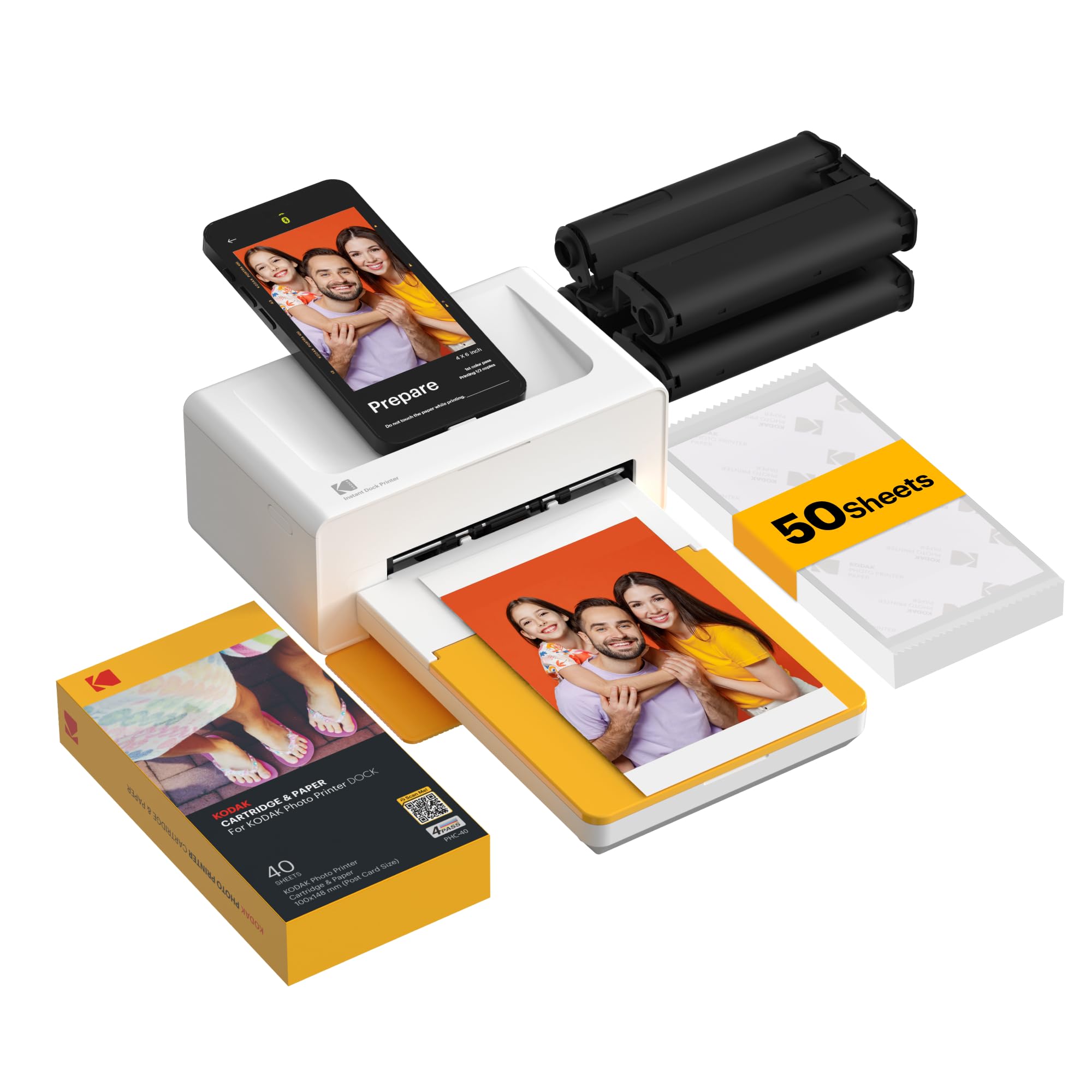
19,000+ ratings
Read Amazon ReviewsKODAK Dock Plus 4×6 Photo Printer
Choose the M100 if direct hotspot connections, multi-device sharing and a larger included paper supply suit your routine. Consider the Dock Plus if you prefer an integrated phone dock and charging at a stationary home printing spot.
- The KODAK Dock Plus uses Bluetooth and an integrated smartphone docking station that can charge a connected phone while printing.
- It uses 4PASS dye-sublimation printing and supports editing through the KODAK Photo Printer app.
- The Liene M100 prints through a direct Wi-Fi hotspot and supports app edits, with 100 sheets and three cartridges included.
Battery-focused alternative
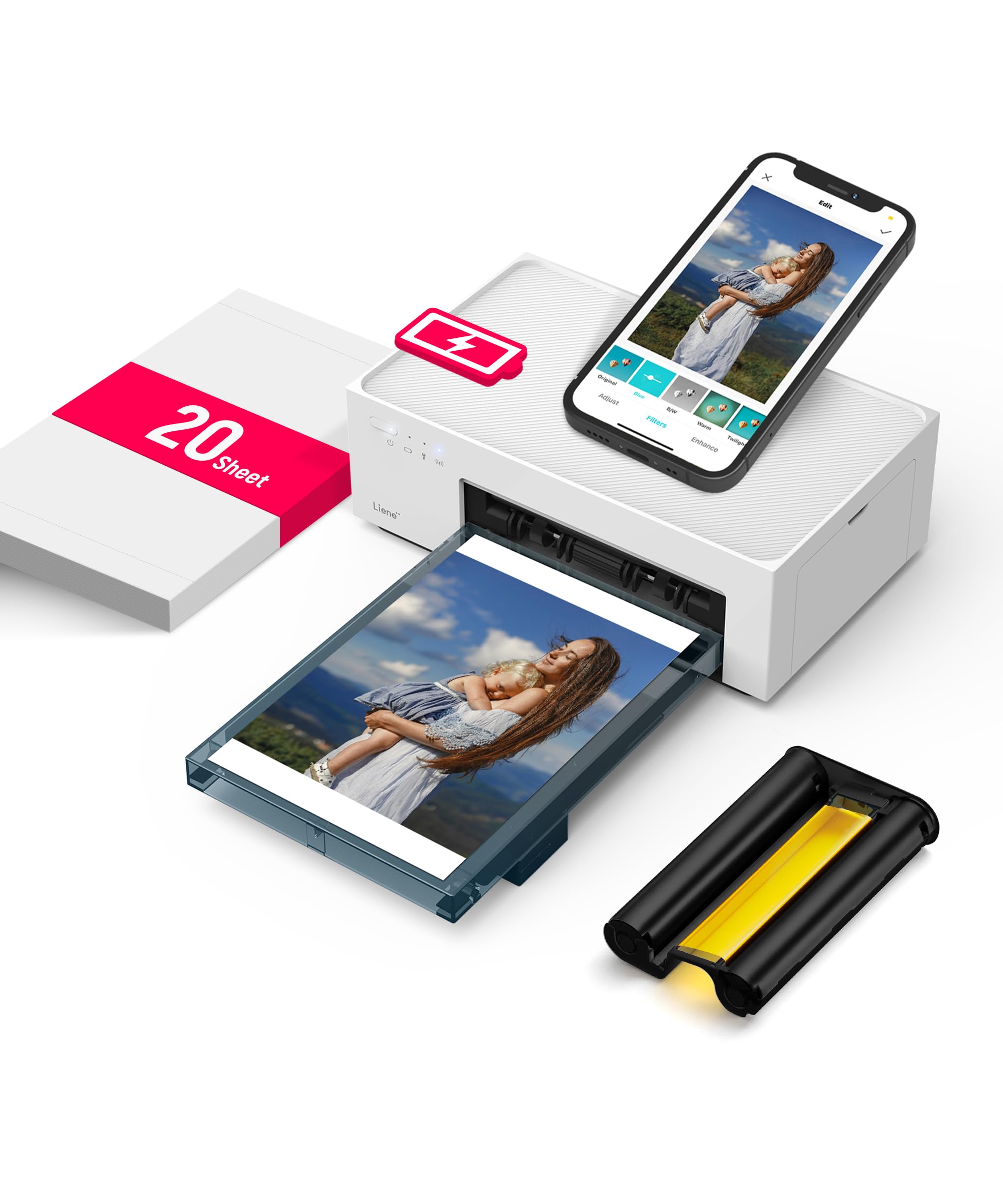
500+ ratings
Read Amazon ReviewsLiene M200 Battery Edition
The M100 is the better fit if you want a larger included paper supply for home use. Consider the M200 if printing away from a power outlet matters more, while keeping in mind its smaller included supply.
- The Liene M200 Battery Edition has a built-in rechargeable battery that is described as supporting up to 40 prints per charge.
- It also uses dye-sublimation printing, a direct Wi-Fi hotspot and an app for basic edits; its package includes 20 sheets and one cartridge.
- The M100’s documented connection is a built-in Wi-Fi hotspot, and its package includes 100 sheets of 4×6-inch paper.
Is Liene M100 Worth It?
The Liene M100 is worth considering for people who want convenient 4×6-inch phone photos, a direct connection and a substantial starter supply of paper and cartridges.
Its app edits and multi-device support make it practical for a household photo routine.
Before buying, confirm that 4×6-inch prints meet your needs and check the ongoing cost and availability of Liene supplies. It is a focused photo printer, so buyers who need document printing or broader media flexibility should look elsewhere.
Your review at a glance
4,000+ ratings
Read Amazon ReviewsLiene M100
A compact 4×6-inch dye-sublimation printer for households that want to turn smartphone photos into shareable physical prints.
- Prints color photos on glossy 4×6-inch paper using dye-sublimation technology.
- The laminated photo surface is designed to resist water, scratches, fingerprints and fading.
- A built-in Wi-Fi hotspot connects phones directly to the printer without requiring another network.
- Supports up to five simultaneous device connections.