The INNOVA 3020RS combines a handheld OBD2 reader with a companion phone app, aiming to make common diagnostic checks easier to understand.
This INNOVA 3020RS review looks at its code reading, ABS coverage, emissions checks, and the tradeoff between a built-in display and app-based guidance.
INNOVA 3020RS Review Summary
The quick verdict
2,000+ ratings
Read Amazon ReviewsINNOVA 3020RS
A practical fit for DIY drivers who want an on-device display, basic code clearing, emissions status, and repair guidance through a phone app.
- Reads and clears OBD2 engine codes, with a severity display intended to indicate whether a problem needs prompt attention.
- Includes ABS (brake) functions, in addition to engine diagnostics.
- Checks emissions status to help estimate smog-test readiness.
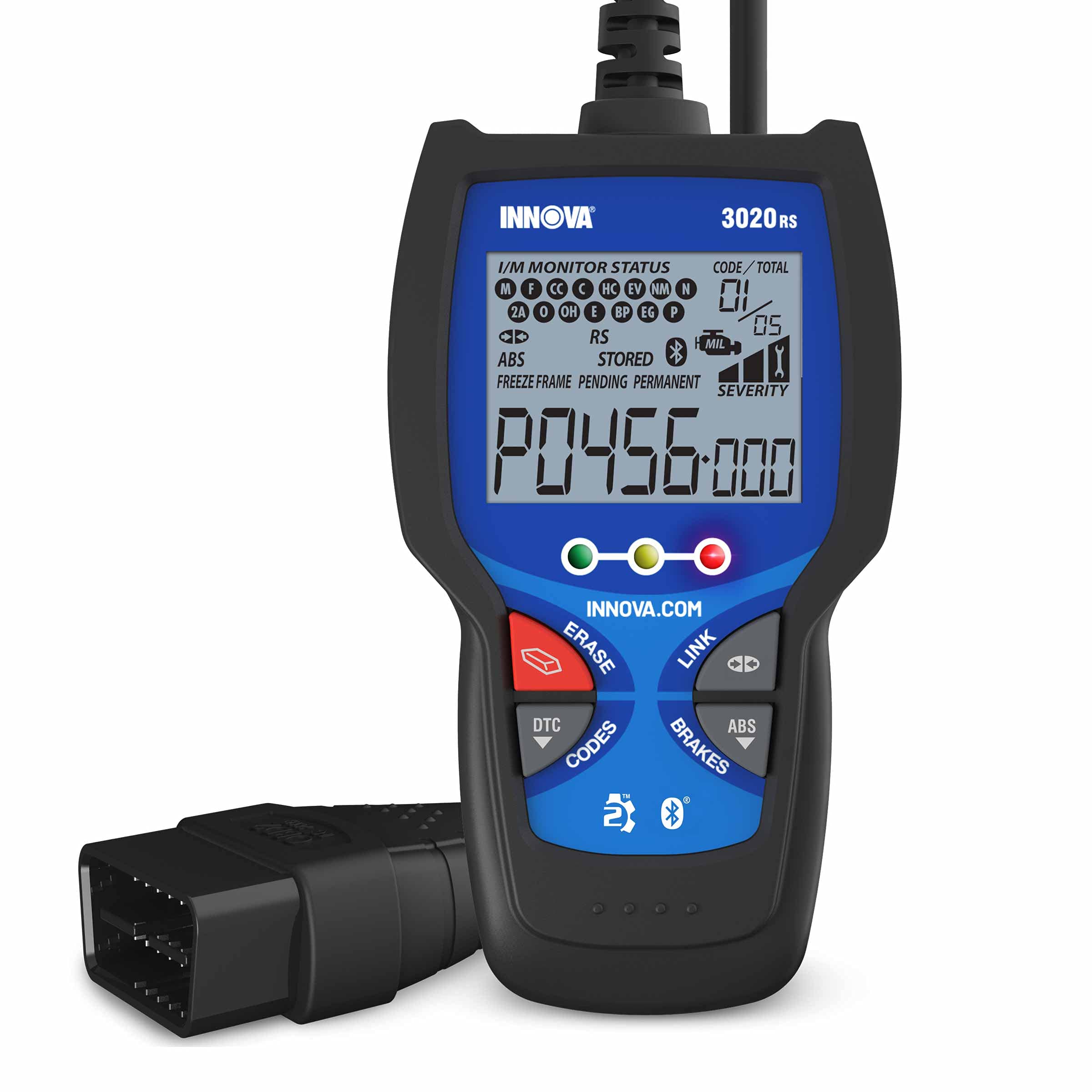
- Uses an all-in-one display that can show more than 20 pieces of information on one screen.

Pros
- Combines engine-code reading and clearing with ABS and emissions-status functions.
- The on-device display and hotkeys are intended to reduce menu scrolling during checks.
Consider before buying
- Using the repair guidance and additional information depends on pairing the reader with a compatible phone and app.
- The description does not detail which ABS functions or vehicle-specific systems are supported, so check compatibility for the exact make, model, and year if those functions are central to your purchase.
Read the full review summary
The 3020RS is designed for drivers who want more than a code number from a basic reader.
It reads and clears engine codes, shows code severity, checks emissions readiness, and includes ABS functions; its all-in-one display is intended to put multiple readings on screen without constant menu navigation.
The phone app adds repair and maintenance context, including verified fixes, maintenance schedules, parts information, recalls, and technical service bulletins.
That mix should appeal to home mechanics and vehicle owners who want to investigate a warning before deciding on next steps, while the stated fit covers OBD2 cars, light trucks, SUVs, and hybrids from 1996 onward.
The buying factors
INNOVA 3020RS Scorecard
Editorial scores reflect listed features and buyer fit; they are not laboratory measurements or customer ratings.
At-a-glance readability
The all-in-one display can show more than 20 pieces of information, and dedicated hotkeys give direct access to functions.
Core engine diagnostics
It reads and clears OBD engine codes and adds a severity indication to help prioritize investigation.
ABS coverage
ABS functions extend its use beyond engine warnings, though the description does not specify the depth of brake-system diagnostics.
Emissions readiness
The scanner checks smog-test status, which is useful when preparing for a state emissions inspection.
Repair guidance
The companion app offers verified fixes, maintenance schedules, parts information, recalls, and TSB access.
Vehicle coverage
The stated compatibility spans OBD2 cars, light trucks, SUVs, and hybrids from 1996 onward.
Key Features and Specifications of INNOVA 3020RS
- Reads and clears OBD2 engine codes, with a severity display intended to indicate whether a problem needs prompt attention.
- Includes ABS (brake) functions, in addition to engine diagnostics.
- Checks emissions status to help estimate smog-test readiness.
- Uses an all-in-one display that can show more than 20 pieces of information on one screen.
- Dedicated hotkeys provide access to scanner functions.
- Pairs with the RepairSolutions2 mobile app on iPhone and Android for repair guidance, maintenance schedules, parts information, recalls, and TSBs.
- Described as compatible with domestic and foreign OBD2 cars, light trucks, SUVs, and hybrids from 1996 onward.
Pros and Cons of INNOVA 3020RS
Pros
- Combines engine-code reading and clearing with ABS and emissions-status functions.
- The on-device display and hotkeys are intended to reduce menu scrolling during checks.
- Severity indicators can help a driver decide which warnings deserve faster attention.
- The app adds repair and maintenance context alongside diagnostic results.
Consider before buying
- Using the repair guidance and additional information depends on pairing the reader with a compatible phone and app.
- The description does not detail which ABS functions or vehicle-specific systems are supported, so check compatibility for the exact make, model, and year if those functions are central to your purchase.
- Although the stated vehicle range is broad, the description does not enumerate exceptions or specify coverage by manufacturer; confirm fit before relying on it for a particular vehicle.
Who Should Buy INNOVA 3020RS?
Good fit
Consider the 3020RS if you want a handheld reader for routine engine-code checks and emissions readiness, with ABS functions available as an additional capability.
The screen is a useful part of the design for drivers who prefer reading information on the tool itself instead of doing every step through a phone.
It also suits owners who value practical next-step guidance.
The companion app is described as providing verified fixes, maintenance schedules, recall and TSB access, and parts information, which can help turn a code check into a more informed repair conversation.
Before buying, confirm that the stated OBD2 coverage includes your specific vehicle and that the app experience fits how you want to work.
If you mainly need ABS diagnosis, check the supported functions for your vehicle rather than assuming every system offers the same depth.
Who should skip it
Skip it if you need a scanner whose specific advanced functions and vehicle-by-vehicle coverage are clearly established for a particular repair workflow; the available description does not spell out those details.
It may also be a poor fit if you do not want to use a phone app for the added repair and maintenance information.
How the INNOVA 3020RS Fits Everyday Diagnostics
A display built for quick checks
The 3020RS puts its own screen at the center of the experience.
Its stated ability to show more than 20 pieces of information at once, combined with dedicated hotkeys, favors quick viewing and direct navigation when checking a warning or reviewing readings.
Buyers who prefer a larger interface should consider whether the described screen layout suits their typical use.
Engine codes with a priority cue
Reading and clearing engine codes covers the basic diagnostic loop: identify a stored issue, review it, and clear it when appropriate after addressing the cause.
The severity indicator adds a prioritization cue, but it is not a repair diagnosis by itself; use the code and app guidance as a starting point when deciding what to inspect or discuss with a technician.
Emissions and brake-related checks
Emissions readiness is useful before a smog test because it helps you see whether the vehicle's status is prepared for inspection. ABS functions broaden the reader's scope beyond engine warnings.
Since the description does not map those functions to specific makes and models, buyers who need brake-system diagnostics should verify support for their vehicle and intended task.
Phone guidance complements the reader
The RepairSolutions2 app is positioned as a source of repair and ownership context, including verified fixes, schedules, recalls, TSBs, and parts information.
This can make the tool more useful for planning next steps, while also making phone access part of the overall experience.
Check that your device can run the app and that you are comfortable using it alongside the scanner.
Alternatives to INNOVA 3020RS
One useful alternative is included because it offers a distinct app-based diagnostic approach and additional listed system coverage.
Code Readers & Scan Tools alternative
63,000+ ratings
Read Amazon ReviewsBlueDriver OBD2 Scanner
Choose the INNOVA if you want a handheld screen for direct checks and prefer its stated combination of engine, ABS, and emissions functions.
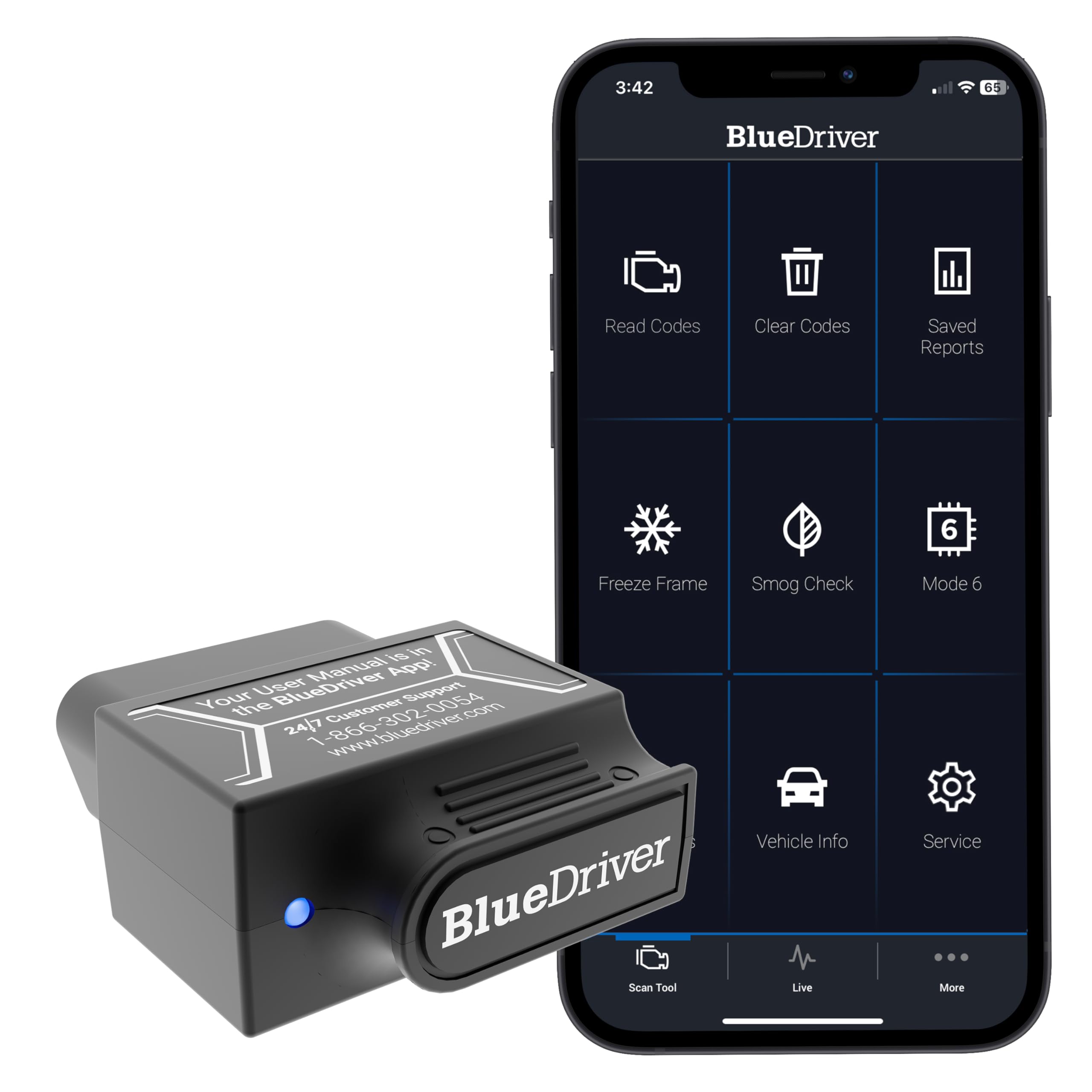
Consider BlueDriver if app-based Bluetooth use and its listed broader system coverage or VIN-matched repair reports better suit your diagnostic needs; confirm support for your vehicle before deciding.
- BlueDriver is a Bluetooth scanner that works through an iOS or Android app and lists enhanced diagnostics for check engine, ABS, SRS, airbag, TPMS, and transmission systems.
- Its app also provides repair reports matched to a vehicle's VIN, live data, freeze frames, smog readiness, and Mode 6 results.
- The INNOVA 3020RS has a built-in display with hotkeys, engine-code reading and clearing, ABS functions, and emissions readiness checks, with added repair guidance through its app.
Is INNOVA 3020RS Worth It?
The INNOVA 3020RS is worth considering for DIY drivers who want a readable handheld OBD2 tool with engine-code clearing, emissions checks, ABS functions, and app-based repair guidance.
Its display and hotkeys make it a sensible option for routine checks, while the app can add useful context for maintenance and repair planning.
Buy it after confirming compatibility and the specific ABS functions available for your vehicle. If your priority is deeper or more clearly specified vehicle-system coverage, compare the alternative's listed diagnostics and choose the approach that matches your needs.
Your review at a glance
2,000+ ratings
Read Amazon ReviewsINNOVA 3020RS
A practical fit for DIY drivers who want an on-device display, basic code clearing, emissions status, and repair guidance through a phone app.
- Reads and clears OBD2 engine codes, with a severity display intended to indicate whether a problem needs prompt attention.
- Includes ABS (brake) functions, in addition to engine diagnostics.
- Checks emissions status to help estimate smog-test readiness.
- Uses an all-in-one display that can show more than 20 pieces of information on one screen.