For someone who enjoys useful gadgets, a fitting gift can make a familiar routine smoother or open up a new creative project.
These 17 picks span desk upgrades, audio, gaming, photo printing, and practical accessories, with different needs and budgets in mind.
17 Gift Ideas for People Who Love Tech
SABRENT USB-C 6-Port Hub & M.2 SSD Dock

- Adds an M.2 slot for an M.2 SATA or NVMe SSD.
- Connects to an external display through HDMI 2.0.
- Includes Gigabit Ethernet for wired networking.
Best Gift For: A laptop user who wants one connection for peripherals, display, networking, and portable storage.

SHOKZ OpenFit Open-Ear Earhook Earbuds

- Open-ear design pairs listening with awareness of surroundings.
- The earhooks use an ergonomic Ni-Ti alloy that contours to the ears.
- The charging case provides up to 28 hours of listening.
Best Gift For: An active listener who wants to hear audio while staying aware of nearby sounds.
HP Sprocket Select 2.3x3.4 Instant Photo Printer

- Prints photos from a smartphone or social media.
- The ZINK sticky-back photo paper has colors embedded inside and resists water, smudges, and tears.
- The HP app offers frames and filters for personalizing photos.
Best Gift For: A phone photographer who enjoys turning favorite snapshots into portable prints.
HUANUO FlowLift Dual Monitor Stand

- Fits screens from 13 to 32 inches when the other compatibility conditions are met.
- Offers C-clamp or grommet mounting for desks 0.59 to 3.54 inches thick.
- Built-in cable management guides wires along the arms.
Best Gift For: A desk worker or gamer with two compatible monitors and a suitable wooden desk.
TMY 1080P Mini Projector with 80in Screen
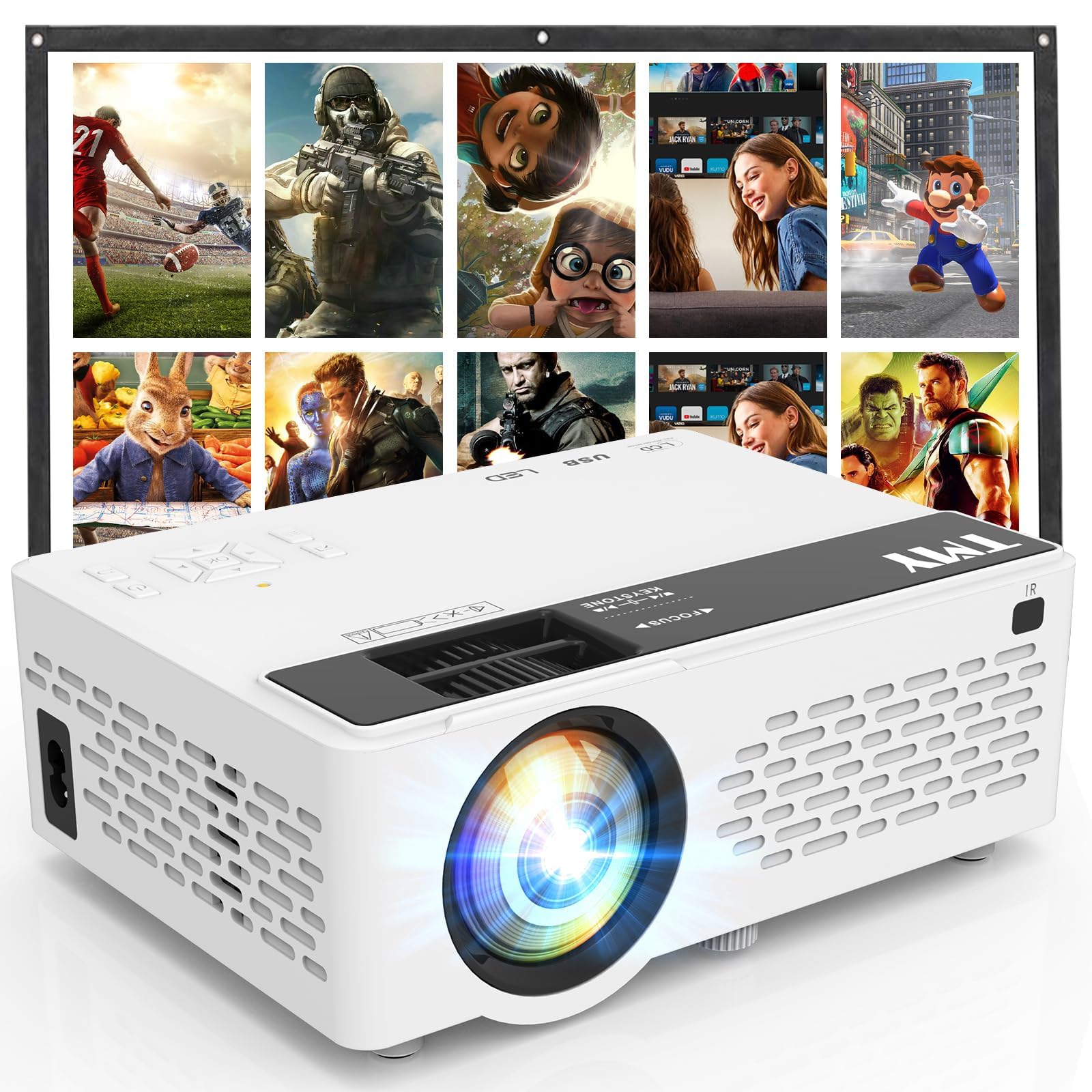
- Comes with a foldable projection screen.
- Can pair with a Bluetooth speaker or soundbar.
- Includes HDMI and USB ports for connecting devices.
Best Gift For: Someone who likes bringing movie nights, games, or presentations to a larger screen.
SteelSeries Arctis Nova Pro Wireless Headset

- Can connect two systems at once and toggle between them.
- Has active noise cancellation and a Transparency Mode for hearing your surroundings.
- Includes two hot-swappable batteries and a base station.
Best Gift For: A gamer who switches between supported systems and wants to mix mobile audio.
FIFINE T669 Studio USB Microphone Kit

- Connects to a PC or laptop through USB without extra drivers.
- Includes a boom arm stand, 8.2-foot USB cable, and double pop filter.
- The cardioid capsule captures audio from the front.
Best Gift For: A beginning podcaster, streamer, or voiceover creator building a computer-based recording setup.
Sleek Socket Flat Outlet Concealer with 3ft Cord
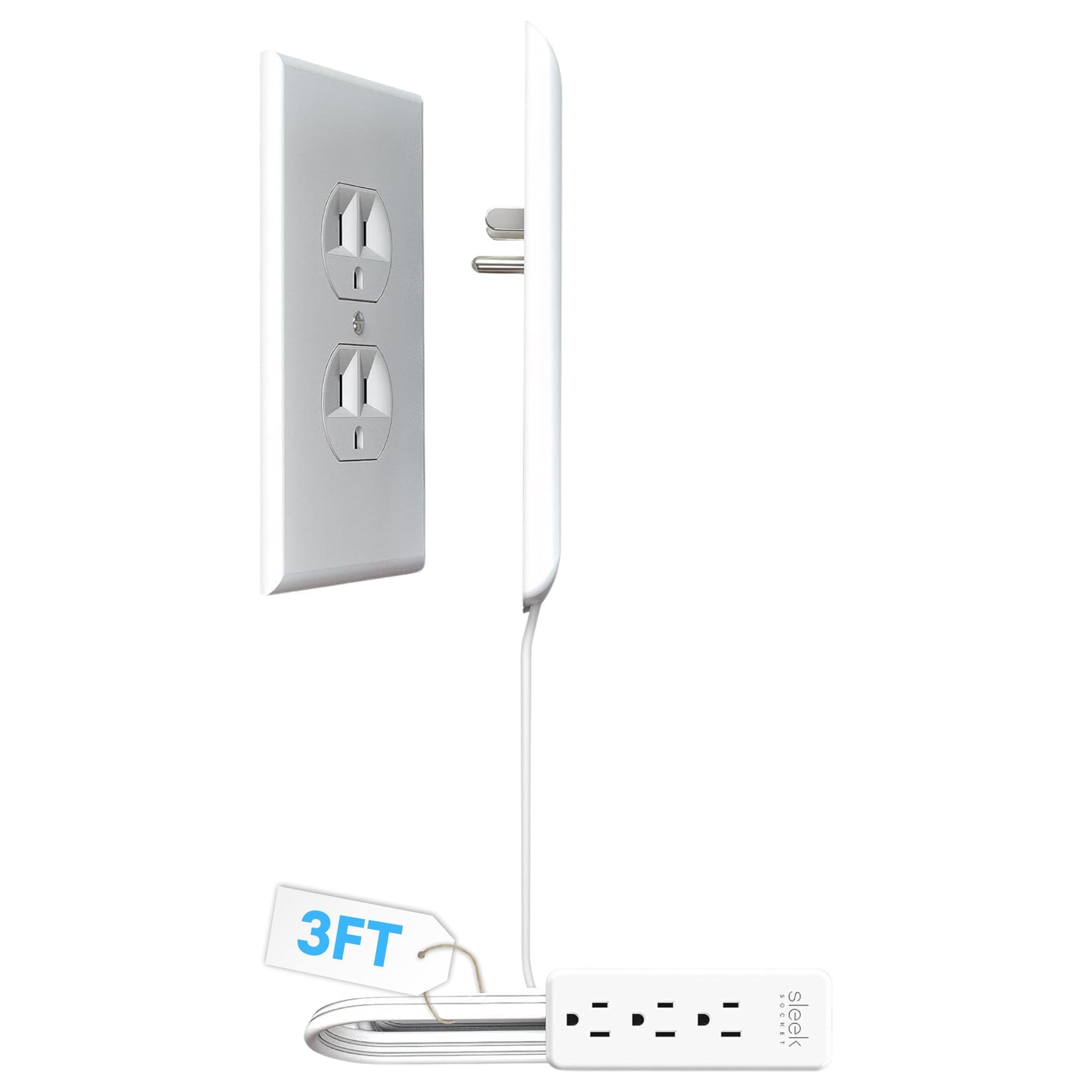
- Includes a 3-outlet power strip.
- Attaches to a duplex outlet without tools.
- Includes removable adhesive strips and cord clips.
Best Gift For: Someone tidying a small space or hiding outlet clutter behind furniture.
Phomemo D30 Bluetooth Mini Label Maker
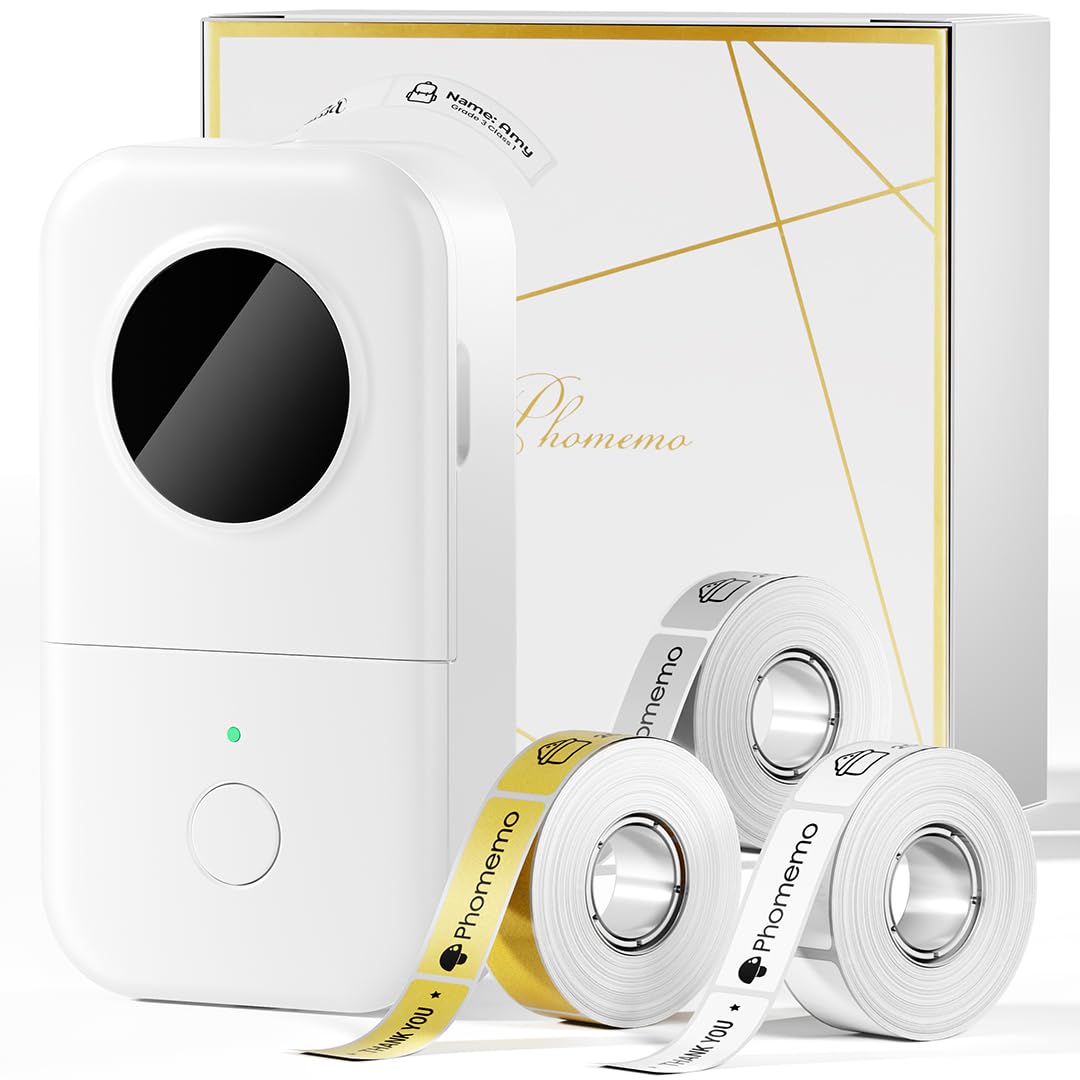
- Includes three tapes: white, gold, and clear.
- Prints black text using thermal printing, without ink or ribbons.
- Connects wirelessly to mobile devices over Bluetooth.
Best Gift For: A home office organizer who likes labeling supplies, files, or personal items.
TP-Link BE6500 Dual-Band WiFi 7 Router
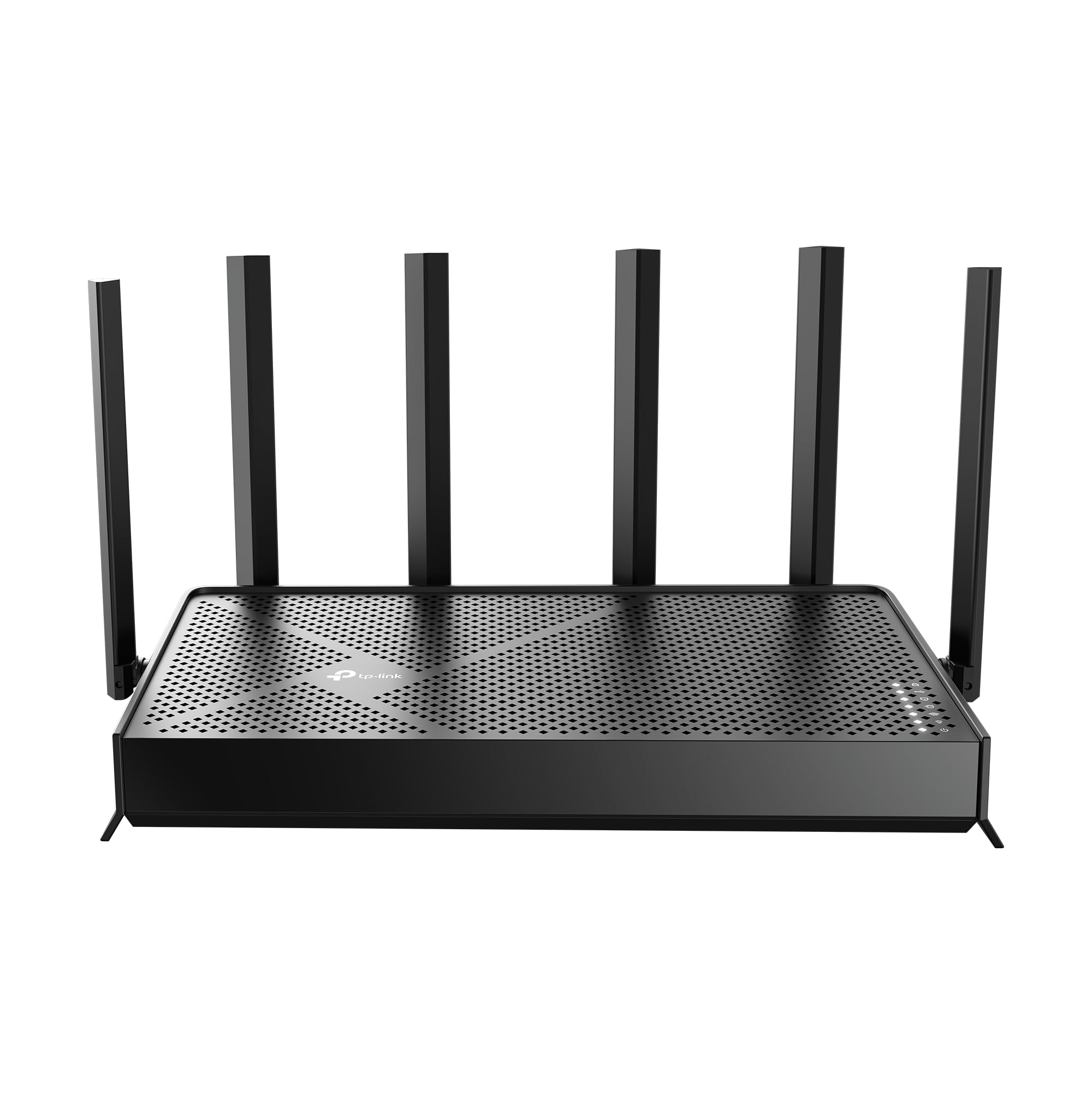
- Features Wi-Fi 7 technology.
- Has one 2.5 Gbps WAN/LAN port, one 2.5 Gbps LAN port, and three 1 Gbps LAN ports.
- Can pair with an EasyMesh-compatible Wi-Fi router or range extender to create a mesh network.
Best Gift For: A household with compatible devices that wants a Wi-Fi 7 router with app-based setup.
SteelSeries Apex Pro TKL Gaming Keyboard

- Offers 40 levels of per-key actuation.
- Can assign two actions to one key.
- Has a detachable USB-C connection.
Best Gift For: A PC gamer who wants per-key actuation settings and a compact gaming keyboard.
Audioengine A2+ Wireless Computer Speakers

- Supports Bluetooth and wired connections through USB-C, RCA, or 3.5mm AUX inputs.
- Has an integrated digital-to-analog converter.
- The speaker cabinets are hand-finished real wood.
Best Gift For: A desktop listener who plays music, games, podcasts, or movies at a computer.
Nulaxy Pull-Out Height Adjustable Laptop Stand

- Adjusts to raise a laptop screen between sitting and standing positions.
- Folds compactly to save desk space.
- Has a ventilation hole in the aluminum panel.
Best Gift For: A laptop user who wants adjustable screen height for sitting or standing at a desk.
SteelSeries Aerox 3 Wireless Gaming Mouse

- The holey shell reduces the mouse's weight to 68 g.
- Supports both 2.4GHz wireless and Bluetooth 5.0.
- The interior is shielded from water splashes, dust, and dirt.
Best Gift For: A PC gamer who wants wireless play and configurable lighting on a desktop setup.
LISEN 3-in-1 Travel Power Bank with Wall Plug
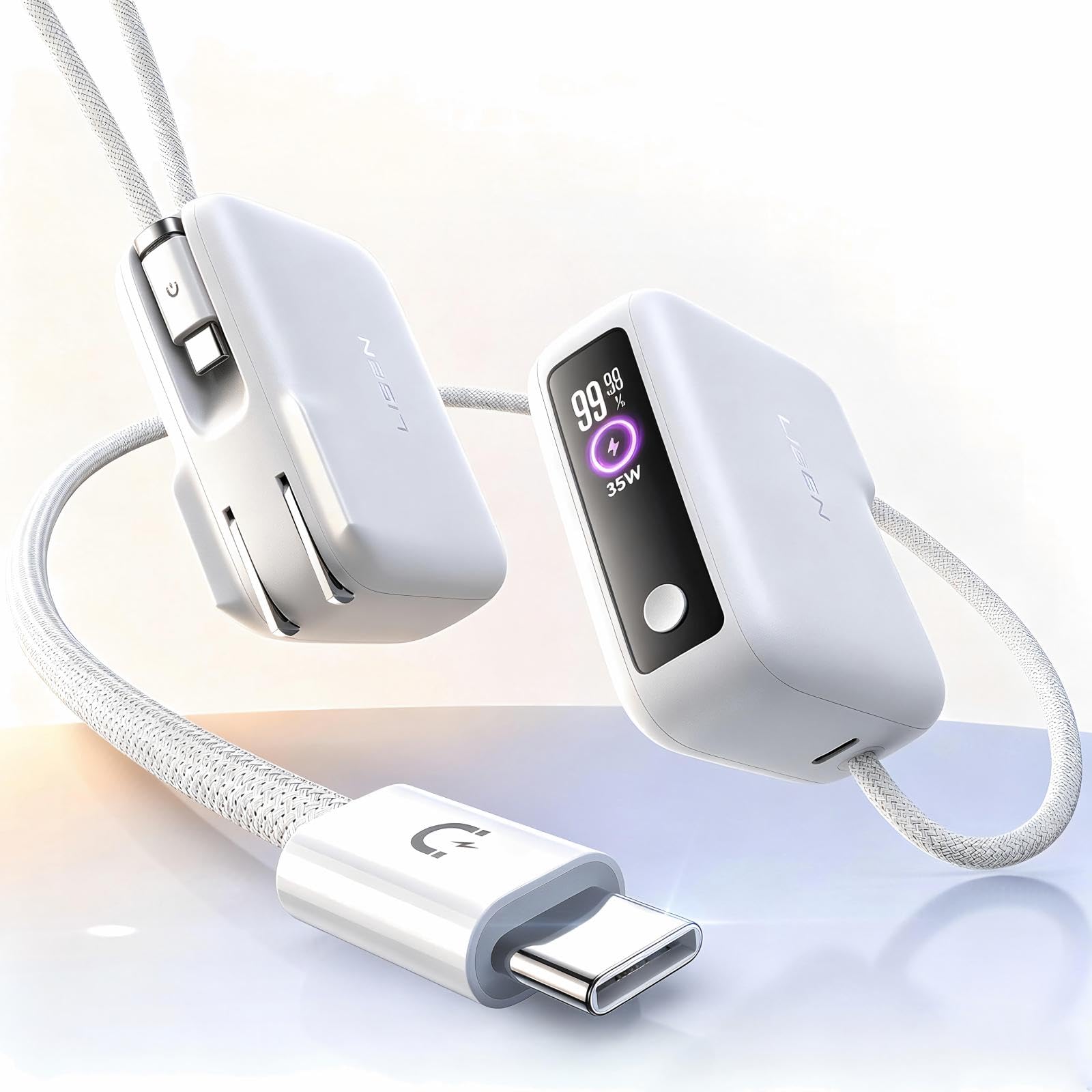
- Combines a wall plug, power bank, and built-in cable.
- Has 7000mAh capacity.
- The integrated cable is 3.3FT long.
Best Gift For: A traveler or commuter who wants a charger with an integrated cable for outings.
SABRENT USB-C & USB-A SD Card Reader

- Includes USB-C and USB-A connections.
- Has slots for SD and Micro SD cards.
- Works without installing drivers or software.
Best Gift For: A photographer who transfers files from memory cards to a laptop or compatible Android device.
MAONO Wave T5 Wireless Lavalier Microphone

- Records at 48kHz/24-bit.
- Offers four one-tap voice presets.
- With the charging case, total use lasts up to 40 hours.
Best Gift For: A mobile creator recording vlogs, interviews, voiceovers, or online presentations.
1. Choose gifts for people who love tech around their routine
For gifts for people who love tech, start with the moment the recipient would use the item. A commuter may appreciate a compact way to keep a phone powered, while someone who edits photos at home may get more use from a card reader or printer.
The right fit begins with a habit, not a spec sheet.
Think about where their setup feels awkward. A crowded desk points toward an organizer or adjustable stand; a shared living room suggests something that works for movie nights or music.
A gift that solves a small, familiar friction often feels more personal than a device chosen only for its novelty.
Check what they already own before settling on a connection-heavy accessory. For a laptop dock, monitor mount, router, or microphone, confirm the recipient’s device ports, desk setup, or network needs where relevant.
If you cannot check directly, choose a simpler accessory with broader everyday use.
2. Match the gift to the budget
A modest budget can still cover useful tech: think small accessories that remove a recurring nuisance, such as sorting cables, moving files, or keeping everyday devices charged. These can be thoughtful when they match a visible need, especially alongside a handwritten note explaining why you chose them.
For a midrange spend, decide whether a single upgrade will make a noticeable difference to the recipient’s routine. Someone who records regularly may value a dedicated audio tool; a home office user may benefit more from improving desk layout.
Focus on how often the gift will be used rather than how many features appear on its packaging.
For a larger present, consider pooling contributions or pairing a main item with a small practical add-on. Before purchasing, check actual prices and confirm compatibility.
A device that requires a specific port, mounting arrangement, or existing equipment may need extra planning, so leave room in the budget for anything essential.
3. Personalize gifts for people who love tech
For gifts for people who love tech, personalization can come from the way the item supports their interests. Pair a photo printer with a few favorite snapshots, or wrap a desk accessory with a note about the project or workspace you had in mind.
Keep any add-on compatible and easy to use.
Presentation can make a practical gadget feel considered. Put a small accessory inside a pouch or box with a short card describing the routine it might simplify.
For a larger device, give a simple setup checklist or offer to help arrange it together, while letting the recipient choose when to open and configure it.
If you are unsure which model fits, make the gesture specific while leaving the final choice flexible. A card can explain that you wanted to help with their home office, creative work, or gaming setup, then offer to shop together.
This works well when compatibility or personal preferences matter more than surprise.
4. Make the choice useful for the long term
Think about the recipient’s space and habits before choosing a larger tech gift. A desk upgrade should fit the available surface and the equipment already there; a projector or speaker should suit where it will actually be used.
When dimensions matter, verify them against the room or furniture instead of relying on a general impression.
For gifts shared by a household, consider who will set them up and maintain them. A router affects more than one person, while a gaming accessory may be tailored to a single player.
The best choice is one the recipient can use comfortably, with setup steps that feel manageable rather than burdensome.
Accessories can also be useful when they extend equipment already in regular use. A memory-card reader, for example, makes more sense for someone who already works with removable cards.
If you do not know their setup, a flexible gift card paired with a thoughtful note may spare them an awkward mismatch.
5. Last-minute buying advice
When time is short, narrow the options by the recipient’s most obvious routine and avoid products that depend on several unknowns. A broad-use charging or organization accessory may be simpler to choose than a specialized device that requires exact compatibility.
Read the current product details before ordering and verify what is included.
Check delivery estimates for your address and leave a backup plan if the date is important. Local pickup, a printable note, or a small related accessory can make a useful fallback while you arrange the main gift.
Avoid promising arrival until the checkout estimate confirms it.
Before wrapping, confirm the order, included accessories, and any setup requirements that could surprise the recipient. For a gift tied to a computer, phone, monitor, or room layout, check compatibility and dimensions again.
A brief note that explains the thought behind the choice can make even a practical last-minute present feel personal.